
CENTRO DE GRAVIDADE (COG) Indicator V1.0 for MT4 — Complete Guide
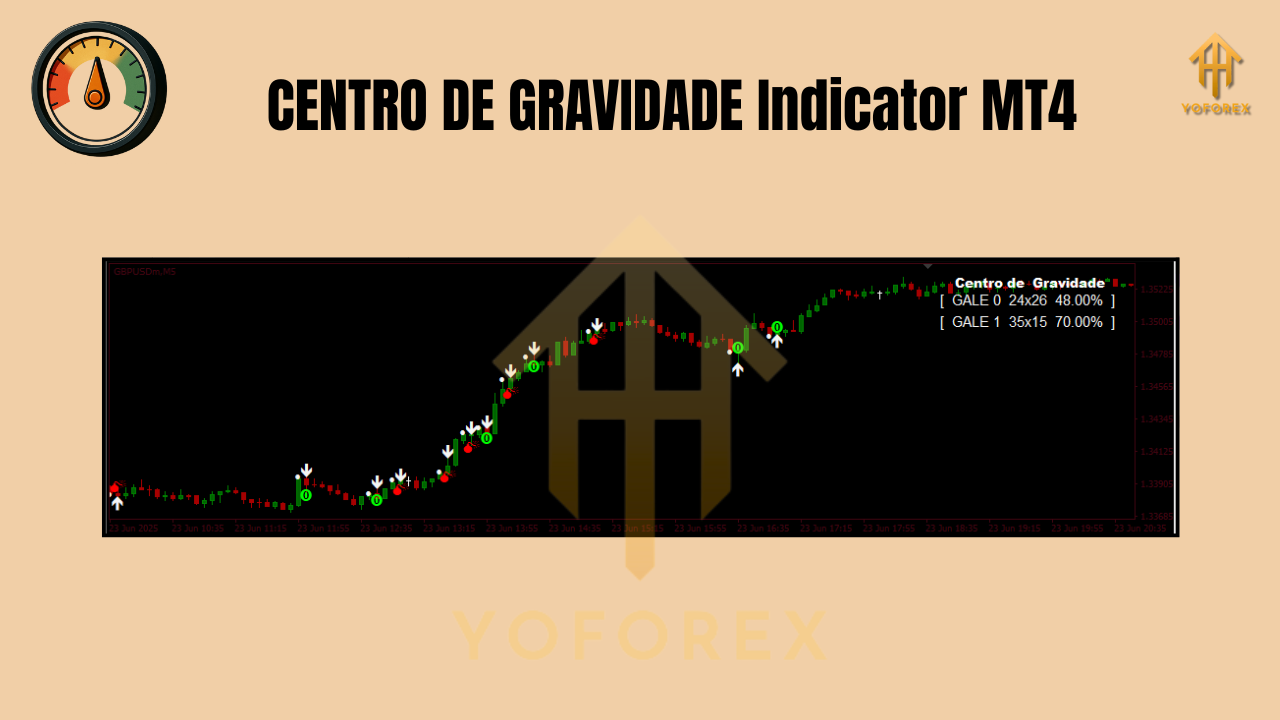
If you’ve ever wished your moving averages would stop lagging just when the price explodes, the CENTRO DE GRAVIDADE (COG) Indicator V1.0 for MT4 might be your new best friend. Originally inspired by the research of technical analyst John Ehlers, COG is designed to reduce lag while staying smooth enough to be tradable. In practical terms, it behaves like a responsive oscillator that “pulls” price back toward a central gravity point—helping you time entries, spot reversals, and avoid chasing candles at the worst moment.
Pairs: EUR/USD, GBP/USD, USD/JPY
Time Frames: Any (M15–H4 are most popular)
What Is the CENTRO DE GRAVIDADE (COG) Indicator?
At its core, the COG plots a central line—your “center of gravity”—with outer bands (or envelopes) that reflect recent price dispersion. Rather than averaging prices equally, the calculation gives heavier weight to recent prices, making it a zero-lag tool compared with standard moving averages. The result is an indicator that reacts quickly without darting around like pure momentum measures do.
Where it shines:
- Identifying overbought/oversold zones when price tags the outer bands.
- Timing mean-reversion entries back toward the central line.
- Confirming trend pullbacks: in trends, pullbacks into the bands often offer continuation entries.
You’ll typically see the oscillator plotted in a separate subwindow (some builds overlay on price). A smoothed signal line is often included to help confirm turns.
How the COG Works (Without the Math Headache)
COG’s “secret sauce” is a weighted approach that diminishes the drag of historical data. Instead of simply averaging the last N closes, it treats the latest candles as more important. This keeps the central line close to current price while the outer bands expand/contract as volatility changes.
- Central Line (Center of Gravity): The equilibrium path price tends to revisit.
- Upper/Lower Bands: Dynamic boundaries that highlight statistical extremes; when price pierces these, the probability of a snapback increases—especially in ranges.
- Signal/Trigger Line (if included): A smoothed version of the COG line that helps confirm direction changes and filters noise.
Key Benefits of COG on MT4
- Zero-lag feel: Reacts quicker than classic MAs, reducing late entries.
- Adaptive to volatility: Bands widen and tighten based on recent action.
- Flexible strategies: Works for mean reversion in ranges and pullback entries in trends.
- Simple visuals: Easy to interpret once you learn the band behavior.
- Multi-timeframe friendly: M1 scalpers to H4 swing traders can use it.
Recommended Settings & First-Time Setup
- Install in MT4:
- Open File → Open Data Folder → MQL4 → Indicators
- Copy the COG indicator file into the Indicators folder.
- Restart MT4 or refresh the Navigator, then attach CENTRO DE GRAVIDADE to your chart.
2. Core Inputs to Look For (names vary by build):
- Period/Length: Common starting point is 20–34. Lower = more reactive, higher = smoother.
- Bands Multiplier / Deviation: Controls distance of the envelopes from the center line. Start with defaults; widen in choppy conditions to reduce false tags.
- Applied Price: Close is standard; test Typical/Median price if your market is spiky.
- Smoothing (for the signal): Higher smoothing = fewer false flips, but slower.
3. Chart Prep:
- Add a trend filter (e.g., 200 EMA on price) if you plan to trade pullbacks within a trend.
- For mean reversion, keep a clean chart—COG bands + candlesticks are often enough.
Trading Strategies with the COG
1) Range Mean-Reversion (Classic COG Play)
- Setup: Market is sideways; highs/lows occur near the same zones; no strong trend on higher timeframe.
- Entry: When price touches or pokes through the upper band, consider short; when it tags the lower band, consider long.
- Confirmation: Look for a COG line curl back toward the center and a candle rejection (pin bar or engulfing).
- Exit:
- Conservative: Exit at or near the center line.
- Aggressive: Trail a stop to the opposite band or recent swing.
- Stops: Beyond the recent swing high/low or just outside the band (add a buffer).
Tip: Avoid trading this setup into major news; one burst can run bands for longer than you expect.
2) Trend Pullback & Go (COG as a Value Zone)
- Setup: Uptrend confirmed (price above 200 EMA; higher highs/lows).
- Entry (Long): Wait for pullback into the lower band. Enter on bullish rejection or when the COG line turns up.
- Exit:
- First target: recent swing high.
- Second target: ride trend with a trailing stop under higher lows.
- Stops: Below the pullback low or a tick below the band.
Mirror this for shorts in a downtrend (use the upper band as your value zone).
3) COG Cross + Signal Confirmation
- Entry: Take trades when the COG line crosses the signal line in the direction of the higher-timeframe bias.
- Filter: Only long if price is above the 200 EMA; only short if below.
- Stops/Targets: Use ATR-based stops (1–1.5× ATR) and aim for 1.5–2× ATR targets.
Practical Example (EUR/USD, H1)
- Confirm backdrop: EUR/USD stuck between well-defined support/resistance → range.
- Price tags the upper COG band and prints a small bearish engulfing.
- COG line begins to roll over; signal line lags slightly behind.
- Short entry on close; stop a few pips above the swing high.
- Take-profit at the center line for a quick win; consider partials and leave a runner to the lower band.
In a trending example, flip the logic—buy pullbacks to the lower band in an uptrend.
Risk Management (Non-Negotiable)
- Position Size: Keep risk between 0.5% and 1.5% per trade.
- ATR-Aware Stops: In higher volatility, widen stops (and often reduce size).
- Avoid News Landmines: COG is not a news-breakout tool; step aside around high-impact events.
- Multiple Timeframe Check: Align H1 trades with H4 direction for higher win quality.

Common Mistakes to Avoid
- Blindly fading strong trends: Bands expand with momentum; extreme tags can keep tagging.
- No context filter: Always define: Am I trading a range or a trend?
- Chasing every band touch: Wait for price action confirmation or a small COG curl.
- Static settings forever: Markets change—tweak period and band multiplier after review.
Best Pairs & Timeframes
- Pairs: EUR/USD, GBP/USD, USD/JPY are liquid and generally behave well with COG.
- Timeframes:
- M15–M30: Active intraday.
- H1–H4: Cleaner signals, fewer trades, higher signal-to-noise.
Scalpers can use M5, but you’ll need stronger filters and discipline to avoid noise.
Backtesting & Optimization Tips
- Sample Size: Backtest across multiple months and mixed regimes (trending + ranging).
- Walk-Forward: Re-optimize the period and band multiplier quarterly.
- Rule-Set Discipline: Define strict entry/exit rules to avoid hindsight bias.
- Metrics to Watch: Win rate, average R-multiple, max drawdown, and profit factor.
- Forward Test: Run the indicator in demo for several weeks before going live.
Final Thoughts
The CENTRO DE GRAVIDADE Indicator V1.0 for MT4 is a versatile, zero-lag style oscillator that can sharpen both mean-reversion and trend-continuation playbooks—if you respect context, manage risk, and avoid trading into news. Start with default settings, learn how your pair behaves around the bands, and evolve your rules with data. That’s how you turn a great indicator into a great strategy.
Join our Telegram for the latest updates and support


Comments
Leave a Comment