
If you’ve ever tried trading crude oil manually, you already know the drill—sudden spikes on inventory news, whipsaws during New York session, and spreads that don’t stay quiet for long. It’s exciting, but also exhausting. Crude Oil Robot EA V1.0 MT4 is designed to make that ride smoother. It automates the heavy lifting: entries, exits, risk controls, and session filtering—so you can focus on results rather than staring at charts all day.
This EA targets WTI/Brent CFDs on MetaTrader 4 and uses a rules-driven approach combining momentum bursts and volatility filters. It seeks to catch directional pulses when crude breaks out from tight ranges—while staying conservative when markets go flat or erratic. No martingale tricks, no reckless grids; the emphasis is on discipline, controlled risk, and repeatable logic.
In this blog, I’ll walk you through how Crude Oil Robot EA operates, the key features that set it apart, recommended configurations, sample backtest guidelines (so you can replicate them on your side), and a practical setup checklist to go live safely. Let’s make the energy market work for you, not against you.
Overview
- Identify short-term momentum after volatility compression.
- Avoid low-liquidity traps via spread & time filters.
- Respect risk at the position level using fixed or percentage-based lot sizing.
- Manage exits dynamically via ATR-aware stops and session-specific trailing rules.
The EA works best during London–New York overlap when crude sees broader liquidity and institutional flows. It does not scalp blindly; instead, it waits for a confluence of momentum triggers—think range break + volume proxy + spread threshold—before taking action. This helps minimize overtrading and keeps the system aligned with oil’s news-driven rhythm.
A few design notes:
- The EA assumes a hedging account (most MT4 brokers offer this).
- It’s optimized for M15 and M30 timeframes (you can forward-test on H1 if you prefer fewer signals).
- It includes a News Guard input (manual flag) so you can pause trading around high-impact releases (like EIA Crude Oil Inventories).
- No martingale, no dangerous averaging—risk is capped and transparent.
Key Features
- Energy-Focused Logic: Tuned for WTI/Brent behavior—momentum after compression, not random scalps.
- No Martingale / No Grid: Each trade stands on its own merits; losses are not “chased.”
- ATR-Adaptive Stops: Stop loss and optional trailing adjust to current volatility.
- Session Filters: Toggle trading during London, New York, or overlap only.
- Spread & Slippage Control: Skip entries when conditions aren’t favorable.
- Risk by Balance %: Choose fixed lots or automatic lot calculation by % risk per trade.
- Breakout Confirmation: Uses a multi-signal approach to avoid false breaks.
- Daily Loss Guard: Hard stop for the day if a defined drawdown occurs.
- Partial Close & Breakeven Options: Lock in gains logically, not emotionally.
- Prop-Friendly Settings: No HFT, no exploits—aimed at stable compliance.
- Alert/Notifications: Optional push/email alerts for entries/exits.
- Clean Logs & Comments: All trades are annotated for easy review.
Strategy Logic (How It Thinks)
At a high level, the EA looks for compression → expansion. When crude builds a narrow range, a breakout often leads to a stretch move—especially during major sessions or when macro headlines rotate in. The EA:
- Maps the Recent Range: Detects when candles compress and volatility dips below an ATR threshold.
- Waits for Trigger: A directional close beyond the range high/low with confirmation from momentum slope.
- Checks Frictions: Ensures spread is below your max, slippage guard enabled, and the active session is allowed.
- Places Protective Orders: Puts the stop beyond structure, sized by ATR multiple; optional partial take-profits.
- Manages the Ride: Shifts stop to breakeven when price moves favorably; may trail if momentum persists.
- Respects Daily Limits: If daily loss limit is hit, the EA stops trading till the next day (server time).
This approach helps you avoid “revenge trading”—the system simply doesn’t have emotions. It executes a plan and calls it a day when conditions aren’t right.
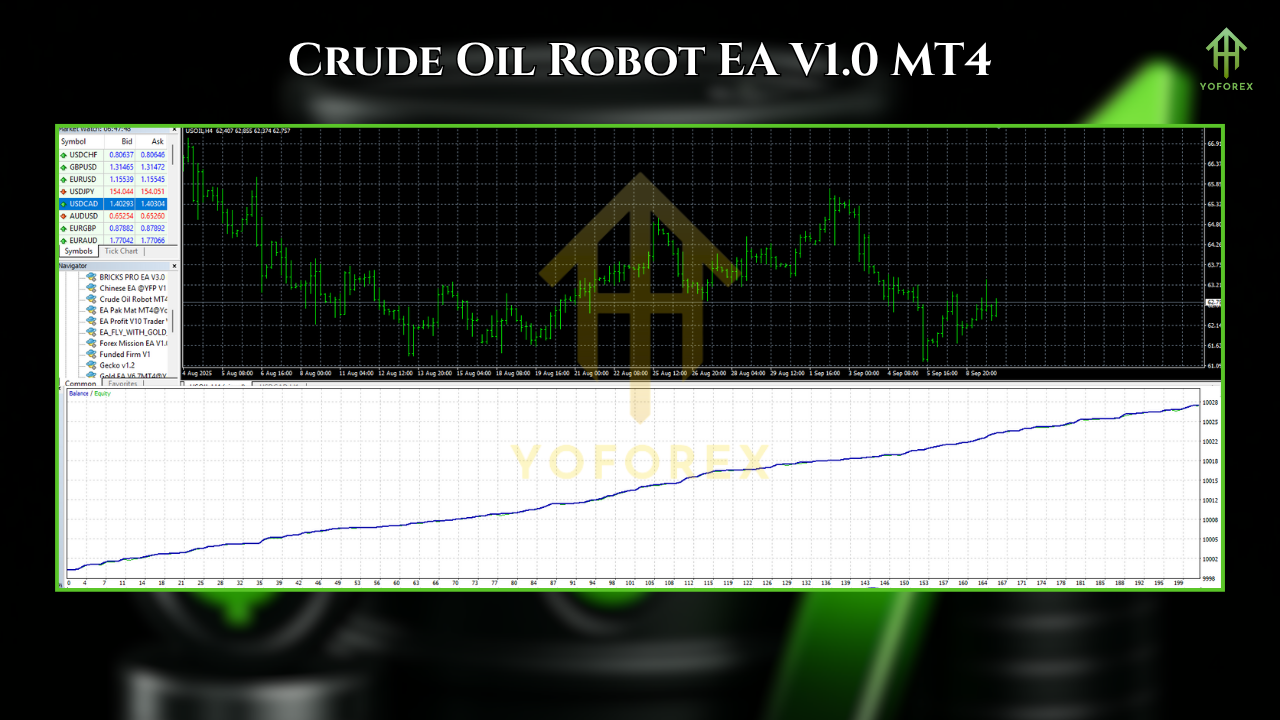
Recommended Settings
- Symbol: USOIL/WTICOUSD or UKOIL (CFD symbols vary by broker—match yours).
- Timeframe: M15 (balanced) or M30 (more selective).
- Risk: Start with 0.5%–1% per trade (conservative accounts can do 0.25%).
- Stop Loss: ATR-based (default 1.5–2.0× ATR(14)).
- Take Profit: Fixed RR (e.g., 1:1.2 to 1:1.8) and/or ATR-aware trailing.
- Session: Enable London + New York; disable Asia unless your broker’s liquidity is strong.
- Spread Filter: Set at or slightly below your broker’s typical crude spread in active sessions.
- News Guard: Manually pause around EIA inventories (Wed) or other high-impact events if you’re cautious.
- Max Trades/Day: 2–4 on M15 is plenty; avoid over-optimization.
Backtest Guidelines & What to Look For
- Data Range: At least 2–3 years including different regimes (low/high vol, wars, OPEC meetings).
- Modeling Quality: Use the highest data quality you can access; consistent tick modeling improves realism.
- Spread: Fixed spread equal to your broker’s average during London/NY overlap—or use variable if your tester supports it.
- Commission/Swap: Apply your broker’s live values to avoid rosy simulations.
- Slippage: If your tester allows, set a small realistic slippage (e.g., 0.5–1.0 ticks).
- Risk: 0.5% per trade; cap daily drawdown to 2–3% via Daily Loss Guard.
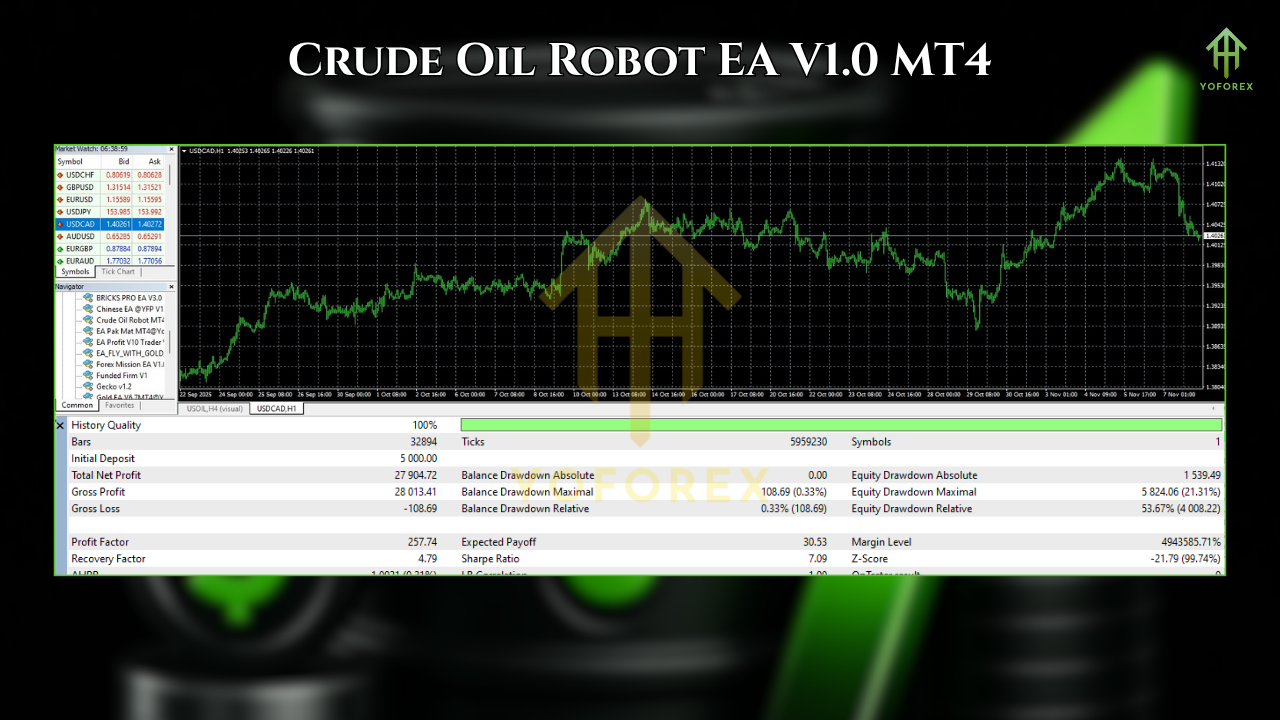
What you want to see:
- Equity Curve: Generally upward with shallow pullbacks; oil is volatile, so some zig-zag is normal.
- Max DD: Preferably <15% at the chosen risk; adjust if your appetite is lower.
- Trade Distribution: Fewer trades during Asia; clusters around overlap hours.
- Win Rate vs. RR: A balanced profile—win rate 45–60% with RR ~1.3–1.6 often works well for breakouts.
Remember, past performance isn’t a promise. Use backtests as a sanity check, then forward-test on demo for at least a couple of weeks to confirm execution quality and spreads.
Installation & Setup (MT4)
- Copy Files: Place the EA file into MQL4/Experts in your MT4 data folder.
- Restart MT4: Or hit Refresh in the Navigator panel.
- Enable Algo Trading: Check AutoTrading is green and allow DLL imports if needed.
- Attach to Chart: Open USOIL/WTICOUSD (or UKOIL) on M15 and attach the EA.
- Inputs:
- Set RiskMode (FixedLot or PercentRisk).
- Configure ATR factor, TP/SL, Session hours, Spread/Slippage filters.
- Enable DailyLossGuard and define the threshold.
- First Run on Demo: Watch logs for entry/exit comments and confirm everything behaves as expected.
- Go Live Gradually: Start with small risk; scale only after a stable forward-test period.
Best Practices for Crude Oil Trading with This EA
- Respect News: EIA inventories, OPEC statements, geopolitical headlines can cause slippage; consider pausing.
- Use a VPS: Lower latency = better fills during spikes.
- Broker Choice Matters: Tight spreads, consistent execution, and fair contract specs are key.
- Stay Consistent: Don’t tweak parameters daily; evaluate changes after a meaningful sample.
- Journal Results: Even with automation, keep notes on major moves and how the EA handled them.
Who Is It For?
- Swing-in-intra-day traders who like directional plays during active sessions.
- Prop firm traders who need risk-aware logic without HFT violations.
- Busy professionals who can’t watch charts all day but still want exposure to energy moves.
- Newer algo traders looking for a clean, transparent system (no martingale, no grid).
FAQs
Q: Can I run it on multiple symbols?
A: It’s optimized for crude oil CFDs. You can test on related energy instruments, but results may vary.
Q: Minimum deposit?
A: That depends on your lot sizing and broker contract size. Practically, $200–$500 is a reasonable starting point for micro lots; scale carefully.
Q: Does it hedge or average orders?
A: No martingale. No risky grids. It can open multiple independent trades if signals occur, but each has its own protected risk.
Q: Which timeframe is “best”?
A: M15 is a solid default. M30 filters more noise but offers fewer trades—good if you prefer patience.
Disclaimer
Trading CFDs on energies is risky. Slippage, gaps, and news shocks can occur. Crude Oil Robot EA V1.0 MT4 is a tool—not a guarantee. Always demo test first, risk only what you can afford to lose, and consider professional advice if needed. By using any EA, you accept full responsibility for your trading outcomes.
Call to Action
Ready to turn crude oil’s volatility into a structured, rules-driven edge? Install Crude Oil Robot EA V1.0 MT4, forward-test on demo with the settings above, and see how it performs with your broker’s liquidity. When you’re confident, go live slowly—risk small, stay consistent, and let the system do its job.






Comments
XEvil 6.0 automatically solve most kind of captchas, Including such type of captchas: ReCaptcha v.2, ReCaptcha-3, Google, SolveMedia, BitcoinFaucet, Steam, +12000 + hCaptcha, FC, ReCaptcha Enterprize now supported in new XEvil 6.0! 1.) Fast, easy, precisionly XEvil is the fastest captcha killer in the world. Its has no solving limits, no threads number limits 2.) Several APIs support XEvil supports more than 6 different, worldwide known API: 2captcha.com, anti-captchas.com (antigate), RuCaptcha, death-by-captcha, etc. just send your captcha via HTTP request, as you can send into any of that service - and XEvil will solve your captcha! So, XEvil is compatible with hundreds of applications for SEO/SMM/password recovery/parsing/posting/clicking/cryptocurrency/etc. 3.) Useful support and manuals After purchase, you got access to a private tech.support forum, Wiki, Skype/Telegram online support Developers will train XEvil to your type of captcha for FREE and very fast - just send them examples 4.) How to get free trial use of XEvil full version? - Try to search in Google "Home of XEvil" - you will find IPs with opened port 80 of XEvil users (click on any IP to ensure) - try to send your captcha via 2captcha API ino one of that IPs - if you got BAD KEY error, just tru another IP - enjoy! :) - (its not work for hCaptcha!) WARNING: Free XEvil DEMO does NOT support ReCaptcha, hCaptcha and most other types of captcha!
Leave a Comment