
Diamond PRO EA V7.0 MT4 – Smarter H1 Automation
If you’ve been hunting for an MT4 robot that doesn’t just “trade,” but adapts—without you babysitting every candle—Diamond PRO EA V7.0 might be your sweet spot. It’s the enhanced, more powerful version of the original Diamond, designed for advanced traders who want tighter control, cleaner entries, and smarter exits. Version 7.0 brings optimized cores for faster decision-making, improved entry-point filters to reduce noise, and a multi-stage profit closure algorithm that tries to milk trends while protecting equity. Minimum deposit? $200. Supported pairs? EURUSD, GBPUSD, USDJPY. Timeframe? H1. In short: a focused toolset for traders who care about consistent process over flashy one-offs.
What Is Diamond PRO EA V7.0 MT4?
Diamond PRO EA V7.0 is an automated trading system for MetaTrader 4 that executes trades on the hourly timeframe. Unlike generic “one-size-fits-all” EAs, it exposes a meaningful set of external control parameters so you can shape it around your risk, your broker environment, and your market bias. The big upgrade in this release centers on three areas:
- Optimized Cores – leaner computation, more responsive logic.
- Improved Entry Filters – aims to filter out choppy, low-probability entries by combining price action cues and momentum thresholds.
- Multi-Stage Profit Closure – scales out or locks in gains through staged target logic, instead of relying on a single TP.
It’s built around the idea that smart exits and disciplined risk control often matter more than simply “finding a signal.” And because it’s H1-focused, it naturally avoids the frantic noise you’ll see in M1–M5 scalpers while still catching intraday swings.
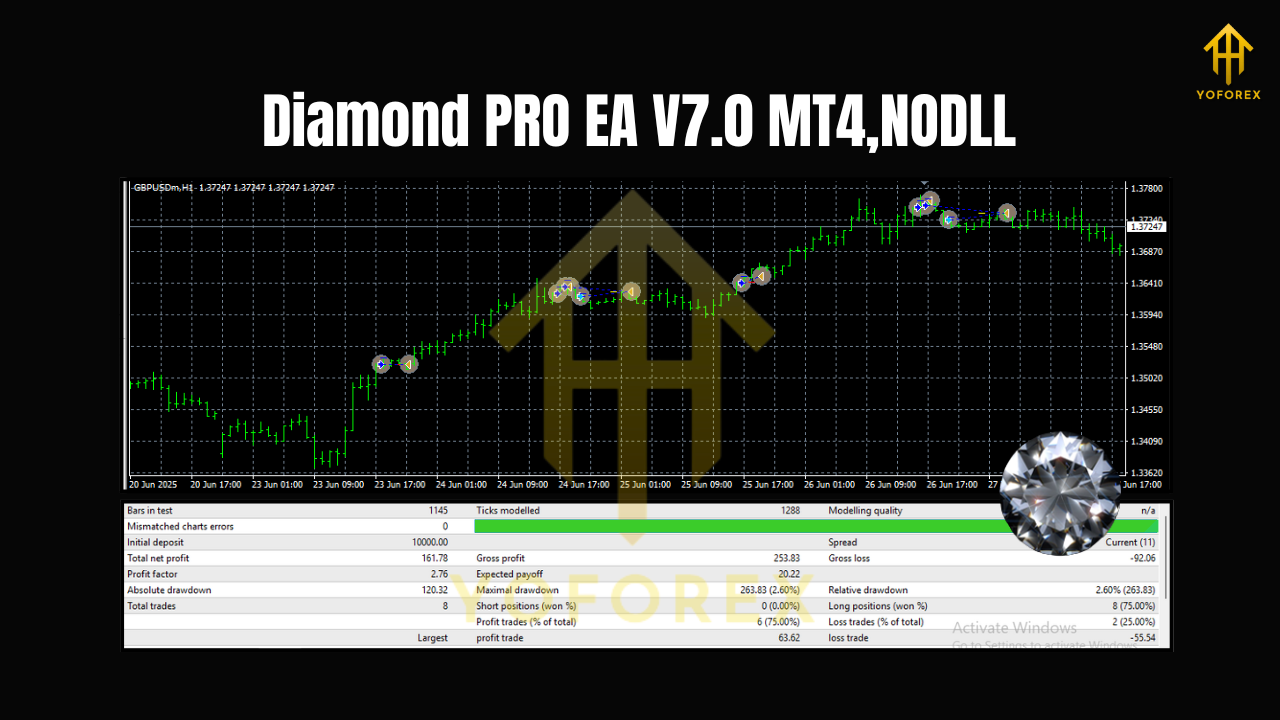
Supported Symbols, Timeframe, and Capital
- Pairs: EURUSD, GBPUSD, USDJPY
- Timeframe: H1 (60-minute charts)
- Minimum Deposit: $200 (more is always safer for flexibility and drawdown handling)
- Account Type: Standard/ECN with tight spreads preferred
- Leverage: Use what your broker provides responsibly; avoid oversized positions
Key Features You’ll Actually Use
- Optimized cores for faster, lighter decision logic on MT4.
- Enhanced entry filters to reduce low-quality entries in choppy conditions.
- Multi-stage profit closure that can scale out, trail, or partially lock gains.
- Flexible external parameters so you can fine-tune without touching code.
- Pair-aware tuning aimed at EURUSD, GBPUSD, and USDJPY dynamics.
- H1 rhythm to balance responsiveness with signal quality.
- Risk management hooks for SL, partial exits, and optional trailing.
- News-avoidance window (optional) to step aside during high-volatility releases (if you enable it, depending on your setup).
- Broker-friendly execution designed for common MT4 conditions.
- Clear logs to understand what the EA is doing and why.
How the Strategy Thinks (in Plain English)
Diamond PRO’s logic is not about “all-in” bets. It looks for aligned conditions—momentum bias, directional confirmation, and volatility context—before pulling the trigger. When a trade is placed, it doesn’t just set one static target. The multi-stage system can:
- Secure a first partial at a conservative target to reduce exposure.
- Move stop to breakeven after the first partial (configurable).
- Trail a portion if momentum continues, letting winners breathe.
This layered approach is meant to improve average trade expectancy over time—less dependence on perfect entries, more focus on managing exits intelligently.
Recommended Setup (Quick Start)
- Broker & VPS: Choose a reliable, low-spread broker. If your PC isn’t always on, consider a VPS for uptime.
- Chart Prep: Open H1 charts for EURUSD, GBPUSD, USDJPY.
- Install EA: Place the *.ex4/*mq4 file into
MQL4/Experts, restart MT4, and drag Diamond PRO onto each chart. - Auto-Trading: Enable auto-trading in MT4 and check the “smiley” icon.
- Initial Risk: Start conservative—e.g., 0.5%–1% per trade risk while you learn how it behaves with your broker.
- Backtest & Forward Test: Run Strategy Tester, then forward test on demo for at least 2–4 weeks before going live.
Suggested Parameters (Guidance, Not Gospel)
- Lot Sizing: Fixed or percentage risk. If unsure, start with 0.01 lots per $1,000 and adjust only after you see stable behavior.
- Stop Loss: Keep the EA’s default SL logic; it’s tuned for H1. Don’t widen SL “coz” a trade feels special—stick to rules.
- Take Profit: Let the multi-stage logic work: partials + trailing can improve your net outcome on longer runs.
- Max Concurrent Trades: Keep this modest per symbol, especially at $200–$500 balances.
- News Filter: Optional. If you trade around FOMC/BoE/BoJ releases, consider pausing or enabling a news-avoid window.
- Trading Hours: H1 logic typically performs well across sessions, but you can trim low-liquidity periods if your broker’s spreads widen overnight.
Backtesting & Optimization Tips
- Period: Backtest a minimum of 2–3 years on each pair to capture different regimes (trends, ranges, risk-off episodes).
- Modeling Quality: Use the best data you can access; modeling quality matters for H1 too.
- Walk-Forward: Don’t just overfit; run walk-forward or out-of-sample checks.
- Robustness Checks:
- Randomize spread within a realistic range.
- Nudge SL/TP by a few pips to see if results hold.
- Try slightly different session windows.
- Optimization Boundaries: Keep ranges realistic. If you “optimize” everything, you’ll overfit. Focus on 3–5 parameters that impact entries/exits most.
Risk Management (The Part That Actually Saves You)
- Position Sizing: Risk a small, fixed fraction of equity per trade (0.5%–1% for starters).
- Equity Protection: Consider a daily loss cap (e.g., stop trading after −2R or −3R in a day).
- Diversification: Running 3 pairs (EURUSD, GBPUSD, USDJPY) spreads risk, but don’t allow correlated exposure to explode your total lot size.
- No Revenge Trading: Let the EA do its thing. Overriding rules mid-day usually hurts more than it helps.
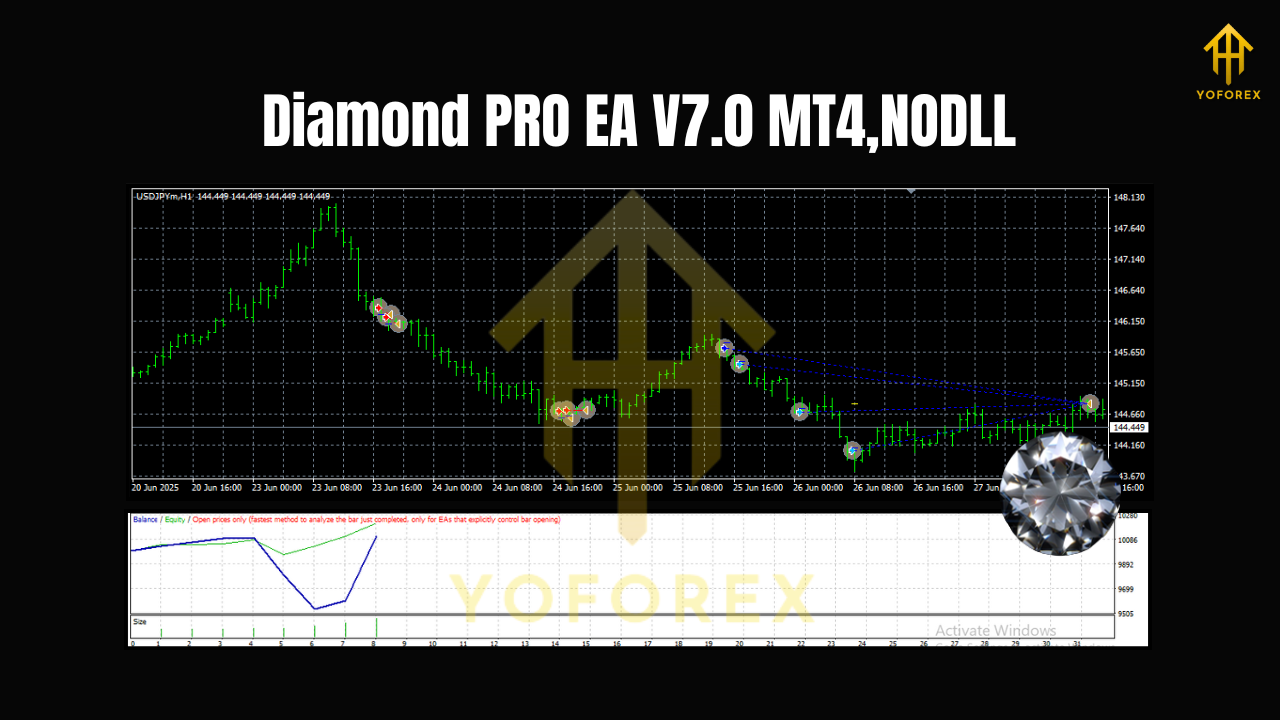
Who Will Like Diamond PRO EA V7.0?
- Advanced users who want meaningful control over entries/exits without coding.
- H1 traders who prefer a calmer pace than M1/M5 scalpers.
- Rule-first thinkers who value partial exits and trailing over “all-or-nothing” bets.
- Small to mid accounts starting around $200+, scaling up with confidence.
Practical Do’s & Don’ts
Do:
- Demo first, then go live slowly.
- Keep notes: broker behavior, spreads, slippage, performance by session.
- Update parameters in a controlled way—one change at a time.
Don’t:
- Expect linear growth every week. Equity curves breathe.
- Crank risk just because last week was hot.
- Trade through major news if your broker widens spreads massively.
Final Thoughts & Disclaimer
Diamond PRO EA V7.0 MT4 focuses on quality over chaos: refined entries, layered exits, and enough external parameters to fit different risk profiles. It won’t “win every trade,” and that’s not the goal. The aim is a repeatable process that compounds edge through smart position management.






Comments
Leave a Comment