
FastWay EA V1.23 MT5 — a calm, set-and-forget mean-reversion engine for M15
FastWay EA V1.23 for MetaTrader 5 is built around one simple idea that keeps working across market cycles: when correlated pairs stretch too far from their “normal,” they often snap back. The EA turns that concept into a disciplined, rule-based system designed to profit from price reversals after outsized moves. It focuses on four highly correlated, relatively well-behaved instruments—AUDCAD, AUDNZD, EURGBP, and NZDCAD—on the M15 timeframe, where mean-reversion edges tend to be both frequent and tradable.
This isn’t a flashy, fire-and-forget grid monster. FastWay EA is intentionally conservative in entry timing and relies on volatility-aware stops, session filtering, and correlation logic to get you into high-probability pullbacks—and keep you out when spreads widen or price is trending hard. The result is a stable, low-drama trading experience you can run on a VPS and check a few times a day rather than micromanaging every candle.
If you’ve been hunting for a set-and-forget MT5 expert advisor that avoids gimmicks and focuses on clean risk, modest but persistent gains, and multi-pair diversification, FastWay EA V1.23 fits like a glove.
Why mean-reversion (on these four pairs)?
Mean-reversion edges are strongest where flows are correlated, volatility clusters, and liquidity is deep enough to avoid ugly fills. The four chosen pairs share these traits:
- AUDCAD & AUDNZD: Commodity-linked AUD tends to mean-revert vs CAD and NZD, especially after risk events or center-bank headlines that overshoot intraday.
- EURGBP: A historically range-friendly cross that often reverts post London session spikes.
- NZDCAD: Two commodity currencies with correlated macro drivers; swings overextend, then cool.
On M15, you catch intraday stretches without drifting into noisy microstructure on M1/M5 or sluggish H1/H4. That balance helps FastWay target frequent, controlled pullbacks rather than marathon swings.
Key features at a glance
- Pure mean-reversion logic with volatility and correlation checks
- No martingale, no unbounded grids (an optional safety-averaging mode is capped)
- ATR-aware stop loss & take profit that adapts to market conditions
- Spread and slippage protection to avoid bad fills during news spikes
- Session filtering (focus on the most liquid hours; avoid rollover and off-hours noise)
- Multi-pair diversification across AUDCAD, AUDNZD, EURGBP, NZDCAD
- Max concurrent trades cap per symbol and portfolio
- Equity guardrails (daily stop, equity-% cut, and news-time pause options)
- VPS-friendly, low resource footprint
- Set-and-forget workflow with sensible default presets for beginners
Trading logic, simply explained
- Detect the stretch: The EA evaluates how far price has moved relative to recent volatility (ATR) and a rolling mean. It also checks if the move aligns with cross-pair correlation behavior (e.g., AUDCAD + AUDNZD both stretched).
- Wait for confirmation: It looks for a sign of exhaustion—small rejection candles, fading momentum, or micro-pullbacks—before entering. No blind catching of falling knives.
- Enter with defined risk: The initial position size is calculated from your chosen risk-per-trade (e.g., 0.5%–1.0%), with stop loss set by ATR multiples and symbol-specific filters.
- Manage and exit: When price mean-reverts, the EA uses a dynamic TP (ATR-based) or partial close + trail to lock in gains. If volatility changes abruptly, it adapts.
Optional: A tightly capped safety-averaging can place one additional order at a predefined distance if the first entry was a touch early. This is not martingale: the second entry is size-limited and respects your global risk.
Recommended environment
- Timeframe: M15 (mandatory)
- Pairs: AUDCAD, AUDNZD, EURGBP, NZDCAD
- Broker: ECN/RAW-spread with fast execution
- Leverage: 1:100 to 1:500 (use responsibly)
- VPS: Yes, 24/5 uptime recommended
- Account type: Hedging or netting both fine; hedging gives more control
How to install & set up on MT5
- Copy the EA: Place
FastWay_EA_V1_23.ex5intoMQL5/Expertsof your MT5 data folder. - Restart MT5: Or refresh the Navigator so the EA appears.
- Open charts: Create M15 charts for AUDCAD, AUDNZD, EURGBP, NZDCAD.
- Attach the EA: Drag FastWay EA onto each chart. Enable Algo Trading.
- Load a preset: Start with the included Balanced preset (details below).
- Allow DLLs/inputs: If your broker requires it, enable appropriate permissions.
- Run on a VPS: Keep MT5 connected 24/5 for consistency.
Parameter guide & starter presets
Core parameters
- Risk_Per_Trade (%): 0.25–1.00 recommended to start
- Max_Open_Trades_Per_Symbol: 1–2 (default 1)
- Safety_Averaging: Off by default; if On, limit to 1 extra trade, small size
- ATR_Multiplier_SL/TP: SL 1.5–2.5, TP 1.0–1.8 (pair-dependent)
- Spread_Filter (points): Keep tight; e.g., 15–25 for these crosses (broker-specific)
- Trading_Sessions: London+NY overlap preferred; avoid rollover
- News_Pause_Minutes_Before/After: 15/15 for medium news; 30/30 for high impact
- Daily_Equity_Stop (%): 2–5% depending on account size and tolerance
Presets
- Conservative: Risk 0.25%, SL=2.5 ATR, TP=1.2 ATR, Max trades/symbol=1, News pause high
- Balanced (recommended start): Risk 0.5%, SL=2.0 ATR, TP=1.5 ATR, Max trades/symbol=1
- Dynamic (advanced): Risk 0.75–1.0%, SL=1.8 ATR, TP=1.6 ATR, allow 1 safety-average (tiny)
Start Conservative for the first 2–3 weeks. Evaluate fills, spreads, and behavior per symbol. Move to Balanced once you’re comfortable.
Backtesting & optimization tips
- Period: At least 5–7 years per symbol to capture different volatility regimes.
- Modeling quality: Use high-quality tick data with variable spread.
- Symbol-specific tuning: Slightly different ATR multipliers and spread filters often help on EURGBP vs AUDNZD, etc.
- Walk-forward approach: Optimize on one period, validate on a later period without changes.
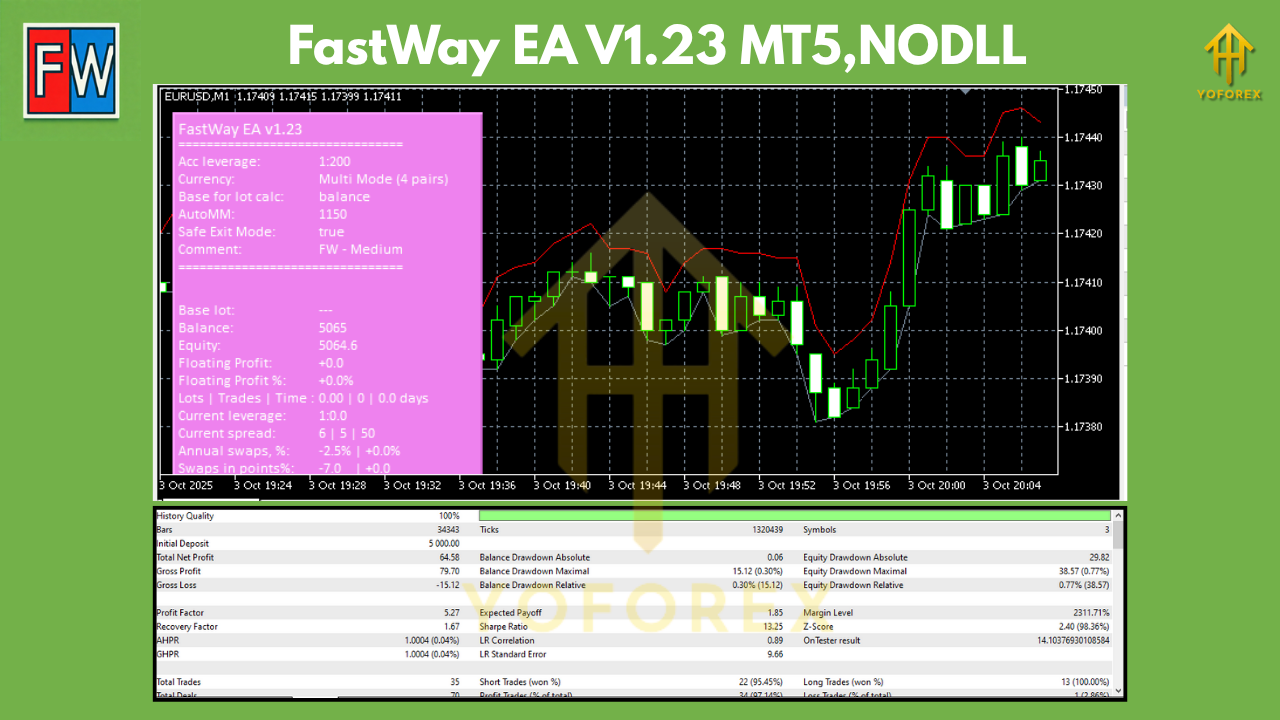
- Portfolio view: Test each pair individually, then run portfolio backtests to see combined drawdown vs. return. The diversification is a big part of FastWay’s edge.
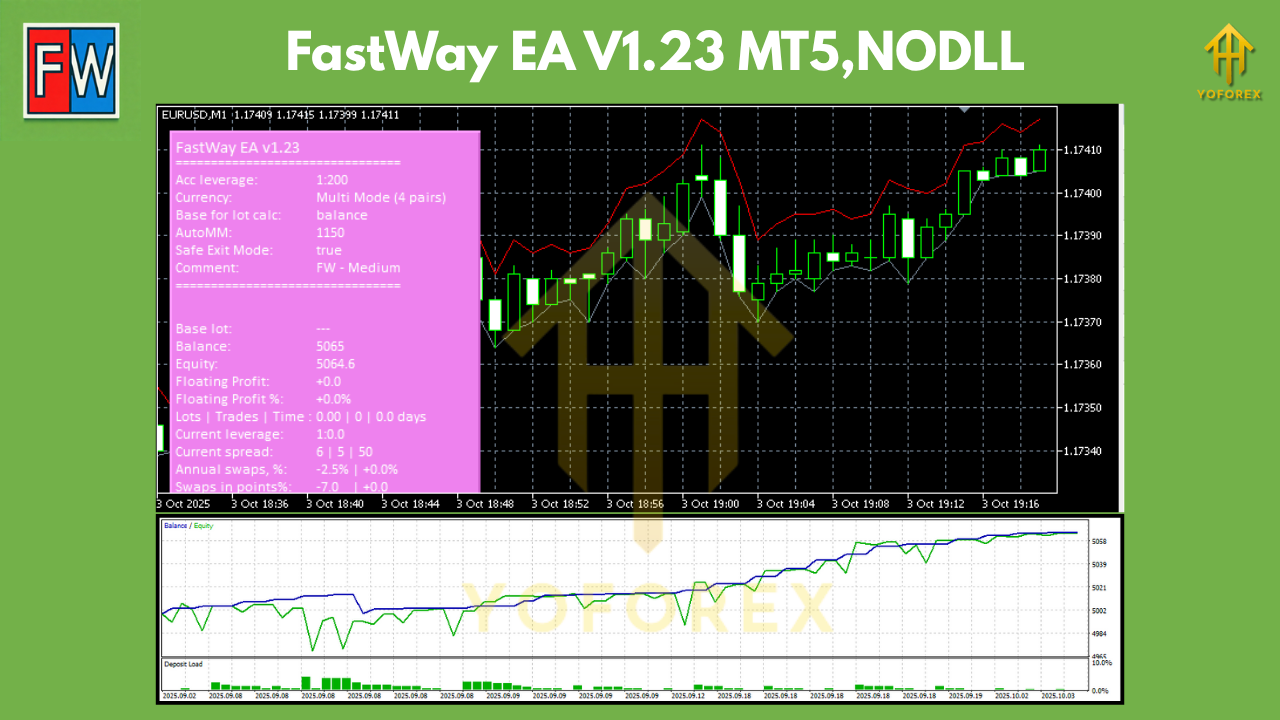
What to expect: Mean-reversion systems usually show lots of small wins and occasional controlled losses when price trends harder than usual. The equity curve should be steady with manageable dips if risk is kept sane and sessions are filtered.
Live trading workflow & best practices
- Start on demo (always!) for a week or two to confirm broker conditions.
- Go small: Begin with the Conservative preset on all four pairs.
- Monitor spreads: Especially around rollovers and news. Consider disabling off-hours.
- Avoid over-tweaking: Minor parameter nudges can help; constant tinkering can hurt.
- Let the edge play out: Mean-reversion edges need sample size; think in months and hundreds of trades, not days.
Who is FastWay EA for?
- Traders who prefer calm, low-drama execution vs. adrenaline scalping
- Portfolio builders who want a non-trend, non-martingale component
- Prop-firm candidates who must control daily drawdowns and news risk
- Busy professionals who want a set-and-forget EA with periodic check-ins
Pros & cons at a glance
Pros
- Clean, no-martingale risk framework
- Focused universe of four correlated pairs for clarity and diversification
- Session and spread filtering reduce bad fills
- ATR-aware exits that adapt to volatility
- VPS-friendly; light on resources
Cons
- Mean-reversion can struggle during trend days (accept it; the filters help)
- Requires broker quality (tight spreads matter)
- Not a “get-rich-quick” grid—moderate, steady growth is the goal
Final thoughts
FastWay EA V1.23 MT5 doesn’t try to be everything. It does one thing—capture mean-reversion on four cooperative crosses—and does it with measured risk and sensible automation. If you appreciate steady edges, value capital preservation, and want a repeatable M15 workflow you don’t have to babysit, FastWay is a smart addition to your portfolio.






Comments
Leave a Comment