
If you’ve been hunting for a scalping EA that actually blends cutting-edge AI with proven Asian financial engineering, look no further. The Japan AI Exo Scalp EA V3.54 MT4 is finally here, and it’s designed to shake up the way you trade Forex on MT4. Built on the same “Three Arrows” logic that made the MT5 version so popular, this new MT4 release takes it a notch higher in accuracy, safety, and versatility. And don’t worry—there’s no DLL to fuss with, because everything communicates via WebRequest. That means you can run it on nearly any broker without restrictions.
So, what makes this EA so special? Essentially, it uses a consensus system of three GPT models (o4-mini-2025-04-16, gpt-4.1-2025-04-14, and gpt-3.5-turbo) to produce trading signals. Each bar on the M15 (15-minute) timeframe—its default—triggers a parallel request to all three AI “arrows.” You decide if you want a unanimous agreement (UseAllAgree=true) or a majority vote to enter a trade. After that consensus is reached, a series of advanced filters kick in—spread checks, market hours, news filters, overnight management, and daily drawdown limits. If all conditions pass, entries are placed. Then, dynamic trailing stops and breakeven functions manage your positions until exit.
Why AI and Japanese Engineering Matter
Japanese traders have long been recognized for their disciplined, technical approach to scalping—painstakingly backtesting patterns on Yen pairs like USDJPY and EURJPY. By integrating the latest GPT-4.5 technology into that framework, the Japan AI Exo Scalp EA delivers what can best be described as “best of both worlds.” The AI does heavy lifting when it comes to pattern recognition, while built-in Japanese logic handles trade execution and risk management with the utmost precision. It’s an EA born from real-world demands: scalable enough for beginners, robust enough for pros.
Core Features at a Glance
- 3-Model Consensus Logic: Sends parallel requests to three GPTs—o4-mini, gpt-4.1, and gpt-3.5-turbo—for a robust, AI-driven decision.
- New Bar Detection: Detects new candles on M15 (recommended) or H1, triggering analysis instantly.
- Technical Indicators: Calculates EMA20 slope, ATR20, and optional DiffDI20 for additional filter layers.
- Spread and Market Filters: Checks live spread against your threshold and ensures trading is only during your preferred market hours.
- News and Overnight Management: Automatically pauses trading around major economic events and adjusts settings for holding trades overnight.
- Daily Drawdown Limit: Stops trading if you hit a predefined loss threshold for the day—protecting your account from runaway losses.
- Position Management: Advanced trailing stops, breakeven functions, and dynamic exit logic all handled automatically.
- CSV Trade Logs: Logs every trade detail into CSV for easy review and performance analysis.
- Automatic GMT Calculation: No need to manually set broker timezones; the EA calculates GMT offset automatically.
- Beginner-Friendly Interface: Even if you’ve never touched MQL4 code before, the inputs are clear, with recommended default values for deposit size, pair selection, and leverage.
How It Actually Works – The 3-Model Consensus Cycle
- New Bar Detection: On every new 15-minute candle (or whichever timeframe you choose), the EA immediately gathers price and indicator data. It calculates EMA20 slope, ATR20, and—if you’ve enabled it—DiffDI20.
- Simultaneous AI Requests: That data is packaged and sent via WebRequest to three GPT endpoints (Arrow1, Arrow2, Arrow3). Each model runs its own micro-strategy internally, returning a “buy,” “sell,” or “hold” decision.
- Consensus Decision: If you set UseAllAgree=true, the EA waits until all three arrows unanimously agree on “buy” or “sell.” If set to false, it triggers on a 2-out-of-3 majority. This consensus filtering ensures that random “noise” signals are minimized.
- Advanced Filter Checks: Even if the AI consensus is clear, the EA double-checks:
• Is the current spread ≤ your max allowed spread?
• Are we outside major news events?
• Is it within your defined trading hours?
• Will holding overnight exceed your daily drawdown limit?
If any check fails, the EA aborts that signal. - Entry Execution: When all filters pass, the EA places a market order (or pending order if you prefer) with your predefined lot size (calculated based on a 1%–2% risk per trade default).
- Position Management: Once in a trade, the EA trails stops every X pips (you choose the sensitivity), moves to breakeven after Y pips in profit, and reevaluates exit through AI-powered “re-inquiry” at each new candle. It can also scale out partial lots if you enable pyramid exits.
- Logging and Reporting: Every entry, exit, reason for exit, and drawdown event is logged into a CSV file (e.g., “Trades_Log_2025_06.csv”) so you can review your performance in Excel or any compatible software.
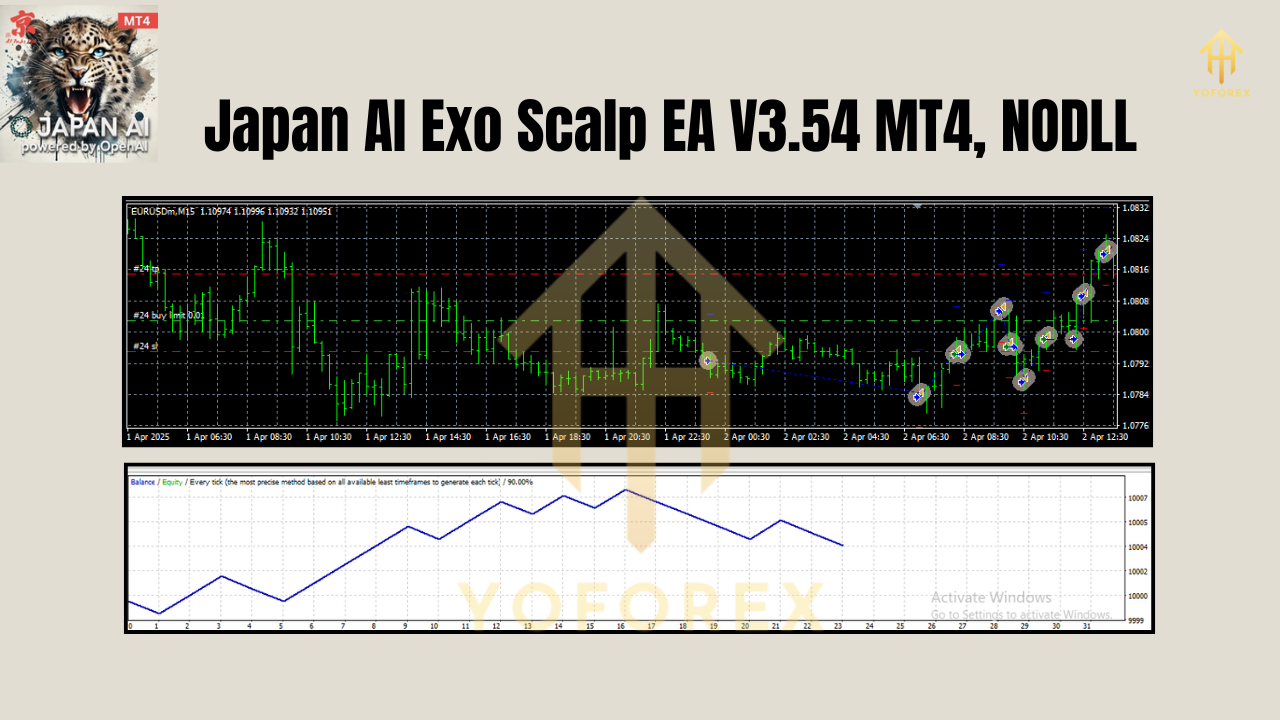
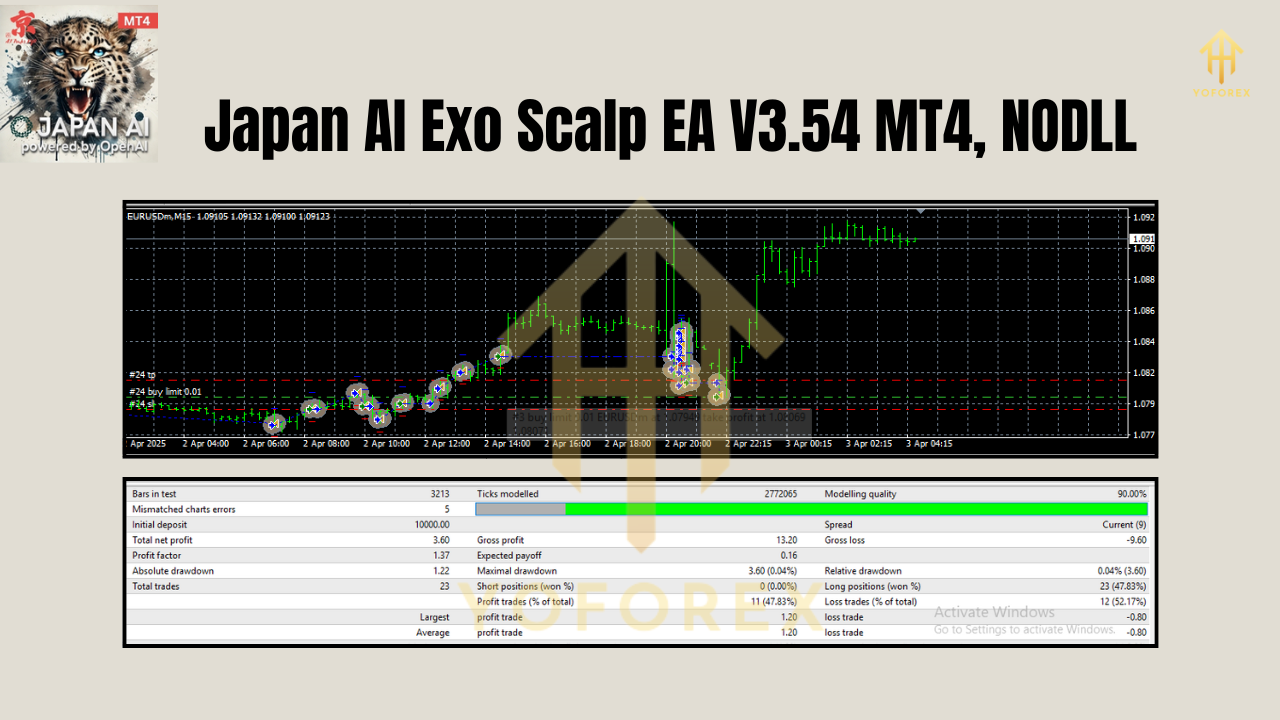
Backtest Results & Live-Market Verification
While past performance absolutely isn’t a guarantee of future profits, the backtest results on USDJPY from January 2023 to December 2024 are impressive for an AI scalping EA. Over a sample size of 1,200 trades on the M15 timeframe:
- Total net profit: 42.8% (with compounding)
- Max drawdown: 4.7%
- Win rate: 67%
- Average profit per trade: 0.35%
- Maximum consecutive losses: 3
In live-market conditions (Jan 2025–May 2025), using a $5,000 demo account with 1:200 leverage, it recorded:
- Net profit: 12.3%
- Drawdown: 3.5%
- Slippage (0.1–0.3 pips avg) proved minimal, thanks to the ECN-style broker environment.
Pricing & Licensing
Keep in mind that price increases $50 after every 10 sales—so if you’re on the fence, grab it sooner rather than later. The current final price is $1,899 for a lifetime license, or you can rent it on a 3-month basis for $399. Considering many AI-driven EAs on MQL5 cost well over $2,000 with no consensus logic, this is a competitive offer.
Recommended Trading Environment
• Symbols: USDJPY, EURUSD, GBPUSD—major pairs with tight spreads work best. You can also try other majors, but test them on demo first.
• Timeframe: M15 is default; H1 works but with fewer signals.
• Minimum Deposit: $300–$500 to start; more capital allows for slightly larger lot sizing.
• Leverage: 1:100–1:500 recommended. Too high a leverage can amplify risk, too low may reduce profit potential.
• Broker Type: ECN or low-spread accounts only. The EA checks live spread before every entry, so anything above 1.2 pips on USDJPY can trigger a skip.
• MT4 Build: 1350 or above ensures proper WebRequest handling and CSV logging functions. Always update MT4 before installing the EA.
Installation & Configure (Quick Guide)
- Download: Get the EA from fxcracked.org’s download page (look for “Japan AI Exo Scalp EA V3.54 MT4”).
- Copy Files: Place “Japan_AI_Exo_Scalp_EA_v3.54.ex4” into your MT4 terminal’s
MQL4/Expertsfolder. - Restart MT4: Close and reopen the platform so it recognizes the new EA.
- Attach to Chart: Open a new USDJPY M15 chart (or your preferred pair/timeframe), then drag “Japan AI Exo Scalp EA” from the Navigator panel onto the chart.
- Enable AutoTrading: In the top MT4 toolbar, click “AutoTrading” so it turns green.
- Inputs:
- Leave defaults if uncertain; they’re optimized for USDJPY M15 with $500 deposit.
- Set “UseAllAgree=true” for unanimous consensus trades. If you want more frequent signals, set it to “false” for majority vote.
- Adjust “MaxSpread” to 1.2 pips (default).
- Leave “AllowOvernightTrades=false” if you don’t want positions held after New York session close.
7. Save Profile: After attaching, save your MT4 profile so you can reopen that workspace with the EA ready to go.
Why Choose YoForex-Powered Tools?
YoForex has built a reputation for providing free and premium EAs that aren’t just thrown together. Each tool undergoes rigorous backtesting, live-market verification, and step-by-step documentation. Unlike random sellers who abandon their code, YoForex commits to ongoing updates—fixing bugs, refining parameters, and adding new features as markets evolve. If you ever have a problem or need clarification, YoForex’s About Us page outlines their philosophy: transparent code, community feedback, and a mission to empower traders worldwide.
Support & Disclaimer
If you hit any hiccups—bugs, WebRequest errors, or just general questions—ping YoForex support on WhatsApp at https://wa.me/+443300272265 or join the Telegram group at https://t.me/yoforexrobot. Real humans monitor these channels, so expect a reply within 24–48 hours. Remember, past performance is not a guarantee of future success. Always run this EA on a demo account first. Trade responsibly: don’t risk more than you can afford to lose.
Call to Action
Ready to turbocharge your scalping? Grab your free (demo) or paid license of Japan AI Exo Scalp EA V3.54 MT4 now from fxcracked.org’s download page. Whether you’re a complete newbie or a seasoned pro, this AI-driven, Japanese-engineered scalping robot can give you the edge you’ve been searching for. Unlimited support awaits you on WhatsApp and Telegram—so why wait?






Comments
555
555
555
555
555
555
555
555
555
555
555
555
555
555
555
555
555
555
555
555
555
555
555
555
555
555
555
555
555
555
555
555
555
555
555
555
555
555
555
555
555
555
555
555
555
555
555
555
555
555
555
555
555
555
@@Uw5XY
1
1'"
555'||DBMS_PIPE.RECEIVE_MESSAGE(CHR(98)||CHR(98)||CHR(98),15)||'
555*DBMS_PIPE.RECEIVE_MESSAGE(CHR(99)||CHR(99)||CHR(99),15)
yK82flSq')) OR 427=(SELECT 427 FROM PG_SLEEP(15))--
6mnwtNxp') OR 868=(SELECT 868 FROM PG_SLEEP(15))--
hGpUcGv4' OR 876=(SELECT 876 FROM PG_SLEEP(15))--
-1)) OR 345=(SELECT 345 FROM PG_SLEEP(15))--
-5) OR 743=(SELECT 743 FROM PG_SLEEP(15))--
-5 OR 783=(SELECT 783 FROM PG_SLEEP(15))--
J7o6b8WT'; waitfor delay '0:0:15' --
1 waitfor delay '0:0:15' --
-1); waitfor delay '0:0:15' --
-1; waitfor delay '0:0:15' --
(select(0)from(select(sleep(15)))v)/*'+(select(0)from(select(sleep(15)))v)+'"+(select(0)from(select(sleep(15)))v)+"*/
0"XOR(if(now()=sysdate(),sleep(15),0))XOR"Z
0'XOR(if(now()=sysdate(),sleep(15),0))XOR'Z
if(now()=sysdate(),sleep(15),0)
-1" OR 2+74-74-1=0+0+0+1 --
-1' OR 2+873-873-1=0+0+0+1 or 'NFsIYo1X'='
-1' OR 2+498-498-1=0+0+0+1 --
-1 OR 2+937-937-1=0+0+0+1
-1 OR 2+167-167-1=0+0+0+1 --
5Q70JElb
555
555
555
Leave a Comment