
PortfoliosPro BREAKOUT EA V1.0 MT4 — Discipline Meets Momentum
If you’ve ever chased a breakout only to enter late, get wicked out, and watch price explode without you… you’re not alone. Breakout trading is powerful, but execution timing and risk control are everything. PortfoliosPro BREAKOUT EA V1.0 brings that discipline to MetaTrader 4 by automating clean momentum entries and predefined exits on the pairs most traders actually trade: EURUSD, GBPUSD, and XAUUSD (Gold). Designed for M15 and H1 timeframes with a $200 minimum deposit, it aims to remove hesitation, reduce overtrading, and keep risk parameters consistent—trade after trade.
What is PortfoliosPro BREAKOUT EA?
PortfoliosPro BREAKOUT EA V1.0 is an MT4 Expert Advisor that scans for volatility expansions emerging from recent consolidation. In plain English: it looks for those moments when price compresses, energy builds, and the market is primed to run. When the conditions align, the EA places pending or instant entries (based on your settings) with a pre-defined stop loss and take-profit structure. The goal is to catch the meat of the move without getting chopped to bits by random candles.
- Markets: EURUSD, GBPUSD, XAUUSD (Gold)
- Timeframes: M15, H1
- Account Size: Starts from $200 (conservative lot sizing strongly recommended)
Instead of guessing “is this the breakout?”, the EA enforces a rule-based plan. It’s not a crystal ball; it’s a workflow—identify the setup, trigger cleanly, and manage the position with logic rather than emotion.
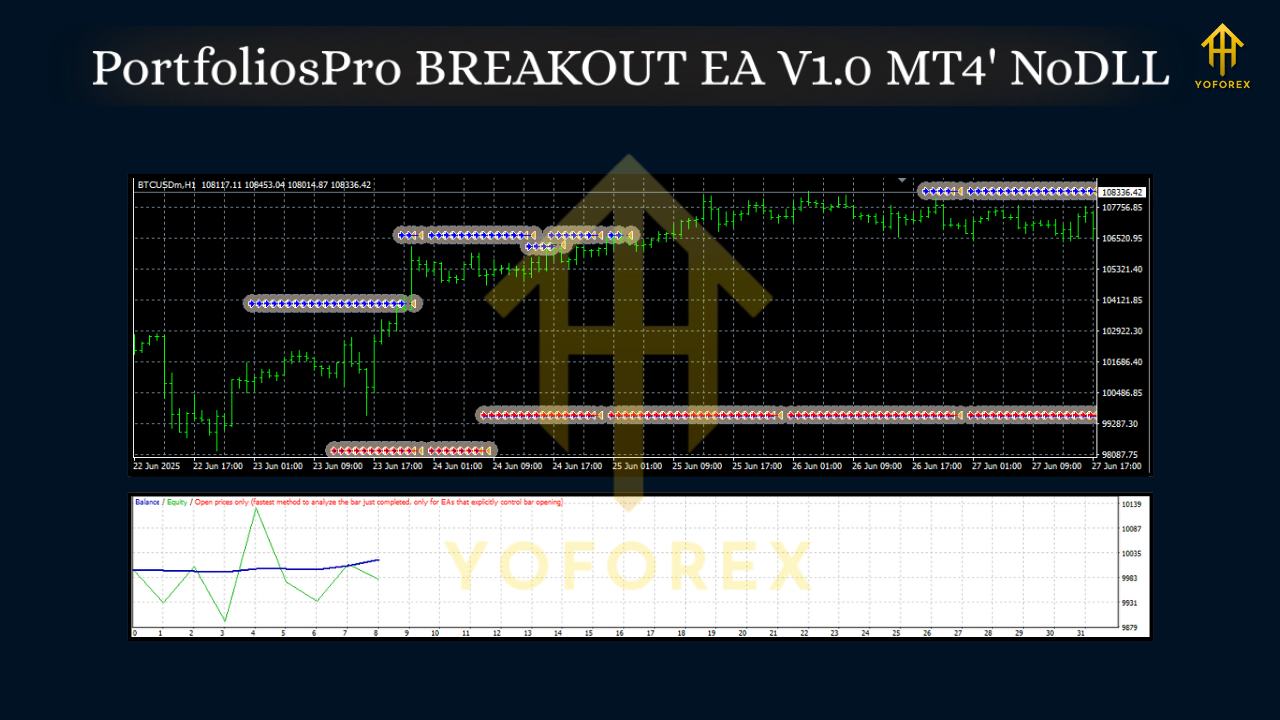
Why Breakout Trading (Still) Works
Breakouts are one of the oldest price-action ideas because they rely on a simple market truth: segments of low volatility are often followed by segments of higher volatility. When liquidity clusters near session highs/lows or after a tight range, a decisive push can trigger stops, fuel momentum, and lead to directional follow-through. The trick is not to predict when the breakout will come, but to be prepared with a repeatable plan when it does.
PortfoliosPro automates that plan. You define the sandbox—time window, range logic, buffer distance, and risk—and the EA handles the execution with no hesitation.
Core Strategy, at a Glance
1) Range Definition
On M15 or H1, the EA identifies a recent consolidation (for example, the previous N candles’ high/low). This forms a breakout “box.”
2) Breakout Trigger
Price expansion through the box boundary (plus an optional buffer) signals momentum. Depending on your configuration, the EA can place stop orders at the edges or execute a market order once the breakout confirms.
3) Risk-First Positioning
Lot size is derived from your max risk per trade (e.g., 0.5–1.0% is a common starting point). The stop loss sits outside the structure; take profit can be a fixed R multiple (e.g., 1.5R–2R), a trailing approach, or partial scaling.
4) Filters (Optional)
Some traders add session filters (e.g., London/NY) or maximum spread rules to improve fill quality—especially important for XAUUSD.
Note: The EA doesn’t require martingale, grids, or dangerous averaging. The philosophy is “protect first, participate second.”
Best Pairs & Timeframes
- EURUSD (M15/H1): Highly liquid, clean session moves, typically tight spreads.
- GBPUSD (M15/H1): Punchier than EURUSD; London session often delivers textbook breakouts.
- XAUUSD / Gold (M15/H1): Big movers; use strict spread/volatility limits and conservative risk.
Tip: Start with one pair to learn how the bot behaves in live conditions. Add pairs once you’re comfortable with the rhythm and performance.
Installation & Quick Setup (MT4)
- Add the EA to MT4
- Open MT4 → File → Open Data Folder → MQL4 → Experts
- Paste the
PortfoliosPro BREAKOUT EA.ex4file. - Restart MT4 and confirm it appears under Navigator → Expert Advisors.
2. Attach to a Chart
- Open EURUSD, GBPUSD, or XAUUSD on M15 or H1.
- Drag the EA onto the chart.
- Enable AutoTrading in the MT4 toolbar.
3. Configure Inputs (suggested starting points)
- Risk per Trade: 0.5%–1.0% (begin small)
- Range Lookback: Enough candles to capture a meaningful box without being too wide (e.g., 20–40 on M15, 10–20 on H1; adapt after testing).
- Breakout Buffer: A few pips above/below the box edge to avoid premature wicks.
- Max Spread: Especially crucial for Gold—set a hard cap to avoid poor fills.
- Session Window (optional): Focus on London/NY if you prefer structured volatility.
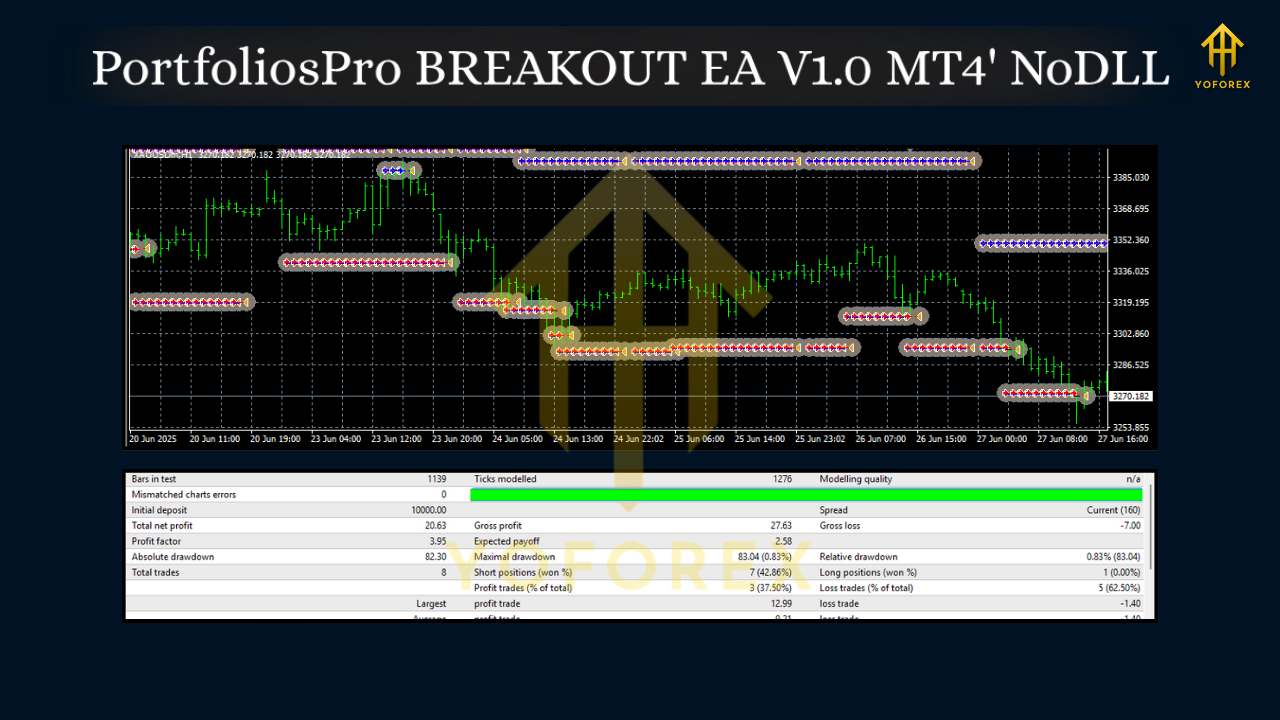
4. Run in Strategy Tester First
- Validate your inputs, spreads, and session assumptions.
- Check slippage behavior and ensure your risk math lines up with the account size.
Risk Management You Shouldn’t Skip
- Fixed % Risk: Decide your risk per trade before you start (0.5%–1% is a sensible baseline on smaller accounts).
- Daily Max Drawdown: Define a hard stop (e.g., 2%–3%)—when hit, no more trades that day. Discipline beats “revenge trading.”
- Spread & Slippage Control: Breakouts can slip; use maximum spread filters and consider a VPS close to your broker for faster execution.
- News Awareness: High-impact events can fake out ranges. You can pause trading around major releases if your plan calls for it.
- No Over-Optimization: Don’t chase perfect backtest curves. Favor robust, simple settings that hold up across months, not minutes.
Live Usage Tips (What Pros Actually Do)
- One Chart = One EA Instance: If you trade multiple pairs, attach the EA to separate charts; keep magic numbers unique.
- Keep Logs Clean: Enable logging for the first week; note when trades trigger relative to session opens and liquidity shifts.
- Iterate Slowly: Change only one variable at a time (e.g., buffer size) and track results for at least 2–3 weeks before deciding.
- Broker Matters (a lot): Low spreads, stable execution, and reliable pricing feed improve breakout strategies materially—especially on XAUUSD.
Who Is This EA For?
- Intraday traders who like structured entries and predefined exits.
- Swing-intraday hybrids who mostly trade M15 and H1.
- Gold enthusiasts who want discipline on XAUUSD but understand it demands conservative risk.
- Part-time traders who can’t monitor charts all day and want a plan executed faithfully.
If you enjoy discretionary tinkering every candle, a breakout EA may feel “too boring.” That’s the point—boring usually beats impulsive.
Final Thoughts
PortfoliosPro BREAKOUT EA V1.0 isn’t trying to outsmart the market with 50 hidden indicators. It codifies a timeless breakout idea and enforces it with risk-first logic. If you’re tired of entering late or managing trades emotionally, this EA can be your guardrail: define the range, wait for a clean break, and let the logic execute—consistently.






Comments
Leave a Comment