
Sick of laggy oscillators that give signals after the move’s already over? Then you’re going to love the QQE Weighted Oscillator Indicator for MT4.
This smart and refined version of the classic QQE (Quantitative Qualitative Estimation) indicator gives traders ultra-smooth trend direction and momentum signals—without the noise, clutter, or repainting.
Perfect for both beginner and pro traders, the QQE Weighted Oscillator combines the best of RSI smoothing with adaptive filtering to give real-time entry/exit insights across any pair or timeframe.
What Is QQE Weighted Oscillator?
The QQE Weighted Oscillator is a custom MetaTrader 4 indicator that upgrades the traditional QQE by adding a weighted smoothing algorithm, delivering more responsive signals and better filtering of market noise.
It calculates momentum based on a smoothed RSI and then applies a volatility-based trailing filter—so it reacts quickly during high momentum while staying flat during chop.
- Trend continuations
- Trend reversals
- Entry pullbacks
- Momentum exhaustion
Key Features of QQE Weighted Oscillator Indicator MT4
- Weighted smoothing = less lag, more signal clarity
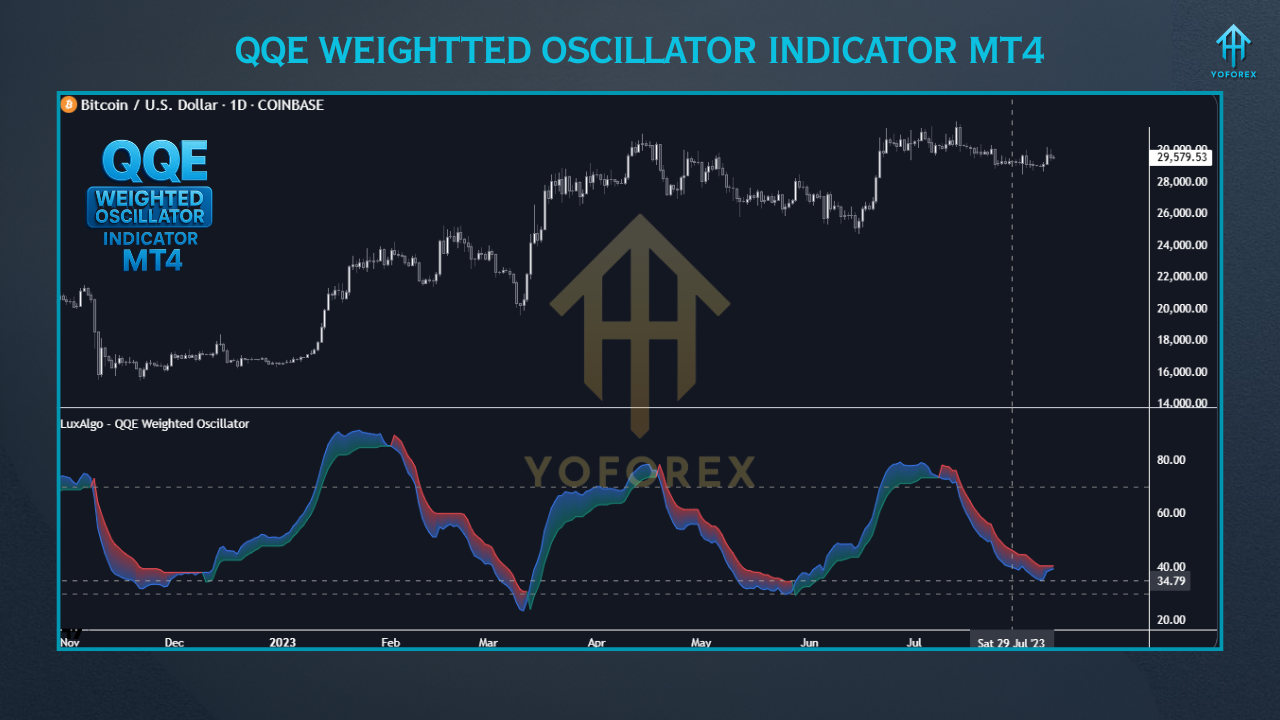
- Plots oscillator line with color-changing logic (bullish/bearish)
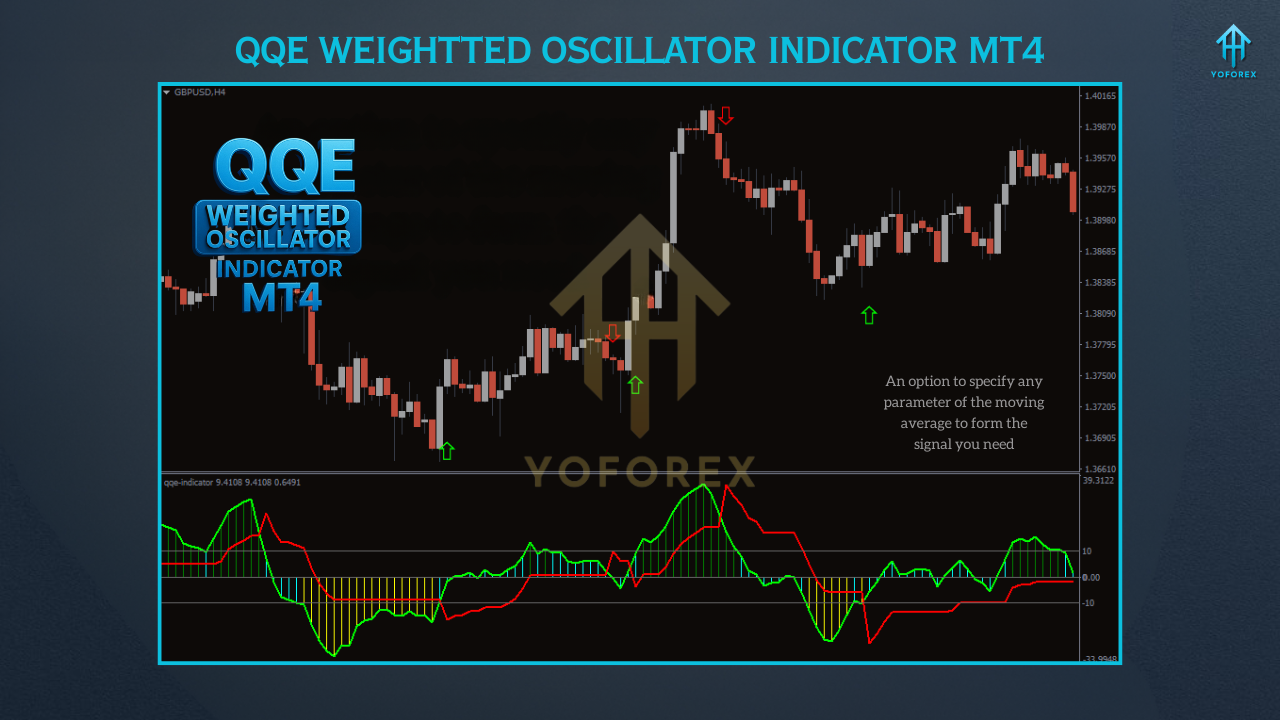
- Optional signal line crossovers for early trend detection
- Zero-repaint logic – reliable for live trading
- Customizable RSI length, smooth factor, and signal line
- Works on all timeframes and instruments
- Alerts for crossover, zone exits, or zero-line breaks
- Use as stand-alone or confirmation with trend indicators
- MT4 lightweight and resource-friendly
- Free to download from FXCracked.org
How It Looks & Works
- Green/Bullish when upside momentum builds
- Red/Bearish when downside pressure increases
- Oscillator crosses signal line
- Crosses above/below zero
- Exits oversold/overbought zones
Best Settings & Use Cases
- M15 & M30 – scalping
- H1 & H4 – swing/position trades
- D1 – long-term confirmation
- Forex majors (EUR/USD, GBP/USD, USD/JPY)
- Gold (XAU/USD)
- Indices (US30, NASDAQ)
- BTC/USD & ETH/USD (crypto)
- Confirm trend entries from indicators like MA or MACD
- Exit trades when oscillator diverges or changes color
- Use zone breaks for counter-trend trades
How to Install QQE Weighted Oscillator on MT4
- Download the indicator from FXCracked.org
- Open MT4 →
File→Open Data Folder - Navigate to
MQL4 > Indicators - Paste the .ex4 or .mq4 file
- Restart MT4 or refresh the Navigator panel
- Drag onto your chart and customize inputs
Who Should Use It?
✅ New traders looking for clean, non-repaint momentum indicators
✅ Scalpers who need fast decision-making cues
✅ Swing traders confirming entries and exits
✅ Algorithmic traders integrating oscillators into EAs
✅ Prop firm traders needing reliable non-martingale tools
Support & Disclaimer
Disclaimer: This indicator is for informational and educational purposes. It is not a guarantee of profit. Always test on a demo account first and never risk more than you can afford to lose.
Final Thoughts
The QQE Weighted Oscillator for MT4 is more than just another momentum tool—it’s a refined, powerful scanner that adapts to any strategy. If you're ready to improve your entries, boost your confidence, and reduce the noise in your charting—this is the indicator for you.






Comments
Leave a Comment