
Most traders struggle to stay consistent when market conditions change unexpectedly. While some focus on trend trading, others use grid strategies to manage pullbacks. But what if you could combine both approaches in a single system that adapts to the market?
That’s exactly what SMART TRENDGRID EA V1.0 MT5 offers.
Built for the MetaTrader 5 platform, this Expert Advisor is designed to work with trends, yet it smartly manages corrections using a controlled grid approach. It's not a typical bot that places trades at random levels—it's a fully structured, indicator-based algorithm that filters entries and handles positions with clear logic.
If you're tired of using tools that either miss market momentum or overload your account with unnecessary trades, this EA deserves a closer look.
Let’s break down how it works, what features it offers, and how to use it properly in a live trading environment.
What Is SMART TRENDGRID EA?
SMART TRENDGRID EA is a hybrid Expert Advisor that uses trend confirmation as its core entry logic and grid layering for trade management during pullbacks. It’s programmed to run on the MT5 platform and aims to solve two key problems:
Entering trades only when the trend is clearly confirmed.
Adding positions during market pullbacks in a way that improves average price entries—without excessive risk.
The result is a balanced EA that avoids reckless martingale behavior while still taking advantage of price corrections during strong trends.
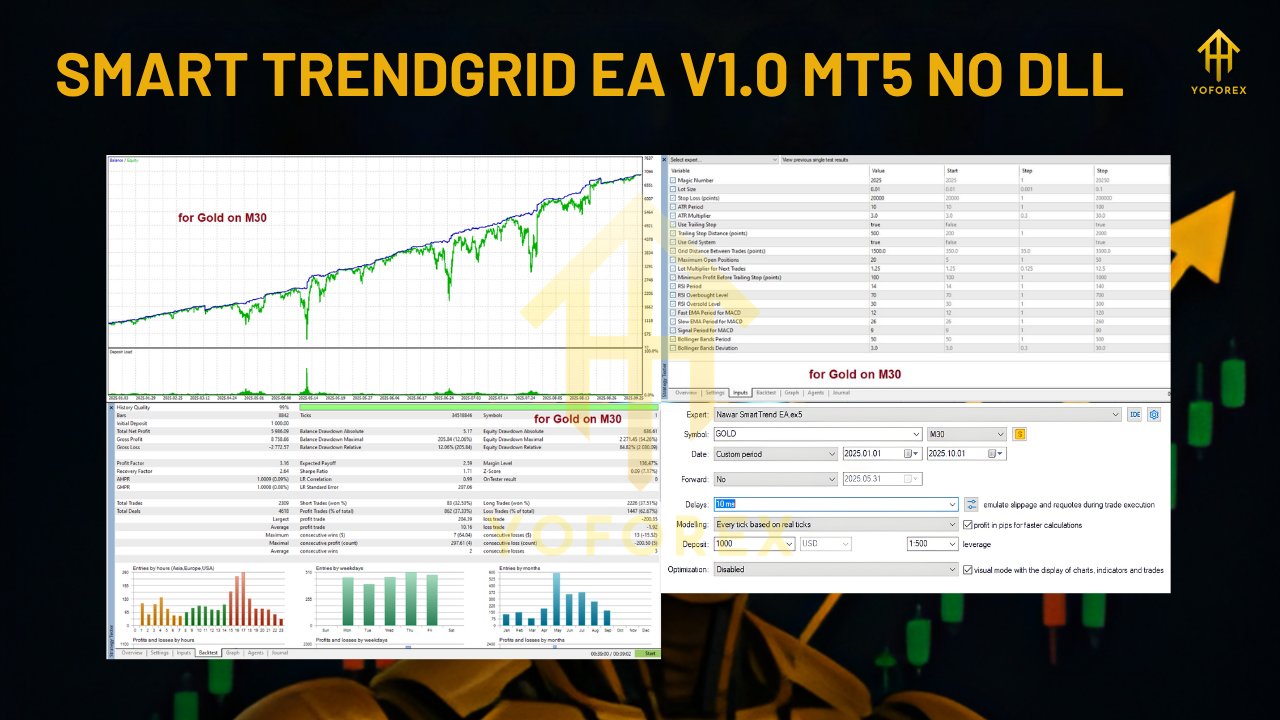
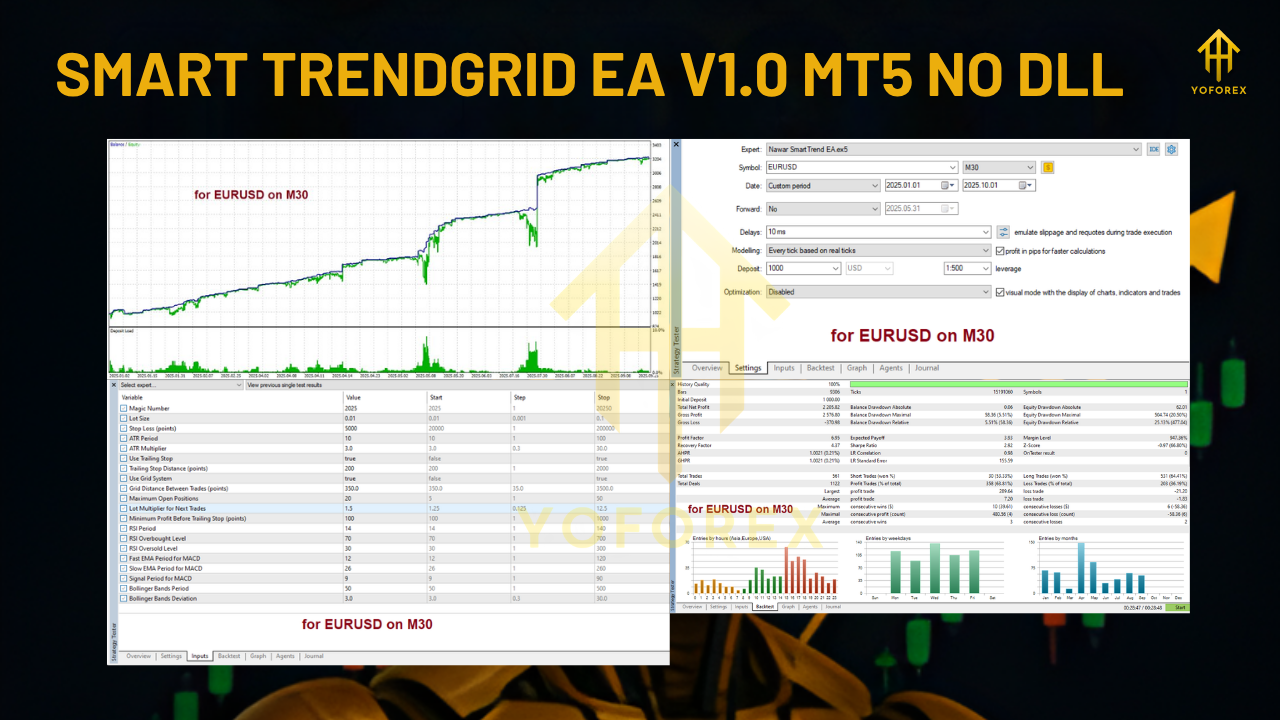
It’s especially well-suited for M30 timeframes and supports a wide range of forex pairs. The EA is fully customizable and can be adjusted based on your risk profile, account size, and preferred trade frequency.
How SMART TRENDGRID Works
Trend-Focused Entry System
The EA starts by scanning for trends. But it doesn’t rely on a single indicator—it uses a combination of technical signals to ensure better accuracy:
- SuperTrend is used to determine the current trend direction.
- RSI and MACD help verify momentum strength.
- Bollinger Bands filter volatility zones and confirm breakout potential.
Only when all conditions align does the EA open an initial trade. This reduces the chances of getting into low-quality setups or choppy sideways movements.
Grid Management for Pullbacks
Once the trend is confirmed and the trade is active, the EA doesn’t panic if the price moves slightly against it. Instead, it:
- Places additional trades in the same direction, spaced at configurable grid intervals.
- Keeps each trade within the trend’s context—no countertrend orders are placed.
- Avoids uncontrolled lot size increases—no martingale or doubling-down.
The objective is to improve the average entry and ride the trend once the price resumes its direction.
Smart Exit Mechanism
Unlike many EAs that rely on a fixed take profit, SMART TRENDGRID uses a trailing stop system to exit:
- Trades are exited when the price reverses beyond a defined threshold.
- If price continues in your favour, the EA trails the stop, securing profit as it grows.
- All open positions can be closed together if a full reversal is detected, reducing total exposure.
- This dynamic approach means more flexibility and protection during unexpected reversals.
Key Features
- MT5 Compatibility: Fully operational on MetaTrader 5, with clean code and fast execution.
- Trend + Grid Logic: Merges two strategies for better adaptability in volatile markets.
- Multi-Indicator Filters: Uses several confirmation tools to prevent false entries.
- Customizable Risk Settings: Allows fixed or percentage-based lot sizing.
- Trailing Stop & Reversal Logic: No fixed take profit; dynamic exits based on price behaviour.
- Works Best on M30: Optimal for intra-day and swing traders looking for structured setups.
Why Traders Choose SMART TRENDGRID EA
The appeal of this EA lies in its thoughtful strategy blend. Many bots fall into one of two categories—either too aggressive with grid logic or too passive with trend following. SMART TRENDGRID finds a more reasonable balance.
Controlled Trade Management
Grid systems often get a bad name for blowing up accounts during strong reversals. This EA uses limited, measured grid steps—giving room for market noise without adding unnecessary trades.
Indicator-Driven Logic
Instead of guesswork, the EA waits for trend confirmation using multiple filters. This approach improves win rates and reduces drawdown during sideways markets.
No Martingale Risk
There’s no doubling up or increasing position size as price moves against you. That makes the EA safer for long-term use, especially for smaller accounts.
Best Settings & Pairs to Use
While SMART TRENDGRID EA is flexible, here’s a guideline for optimal usage:
- Timeframe: M30 for best performance; H1 can be tested for longer-term trades.
- Pairs: EURUSD, GBPUSD, USDJPY, AUDUSD, USDCAD.
- Lot Size: Start with 0.01 for accounts under $1,000. Use percentage-based sizing if desired.
- Grid Distance: Set wider spacing for volatile pairs; tighter spacing for stable trends.
- Max Trades: Limit to 5–7 to avoid overexposure in sharp retracements.
How to Set It Up
Getting started is simple:
Install the EA on your MT5 terminal.
Open a chart in M30 for a preferred currency pair.
Load the EA and input your settings—grid spacing, max trades, SL/TP, and trailing logic.
Move to a live account once you're confident with the results.
Using a VPS is recommended to ensure 24/5 operation and avoid platform disconnection issues.
Risks & Things to Keep in Mind
No EA is perfect, and SMART TRENDGRID has its limits. It’s important to be aware of:
- Whipsaw Markets: In sideways or erratic markets, false trends can lead to drawdown.
- Overtrading Risk: If grid limits are too high, the EA may use too much margin.
- News Events: Sudden spikes can trigger multiple trades or force early exits.
- Broker Conditions: High spreads or slippage will affect trade performance.
Use filters wisely and monitor performance to adjust settings as needed.
Final Thoughts
SMART TRENDGRID EA V1.0 MT5 brings something valuable to the table—an expert advisor that respects market direction but doesn’t get shaken out by natural price pullbacks.
It doesn't make wild promises or chase pips mindlessly. Instead, it uses structured logic and smart order management to trade with more control.
If you’re looking for an EA that isn’t over-optimised or overly aggressive, this could be a great addition to your toolbox.
Trade with logic. Trade with a plan. And let automation work in your favour.






Comments
Leave a Comment