
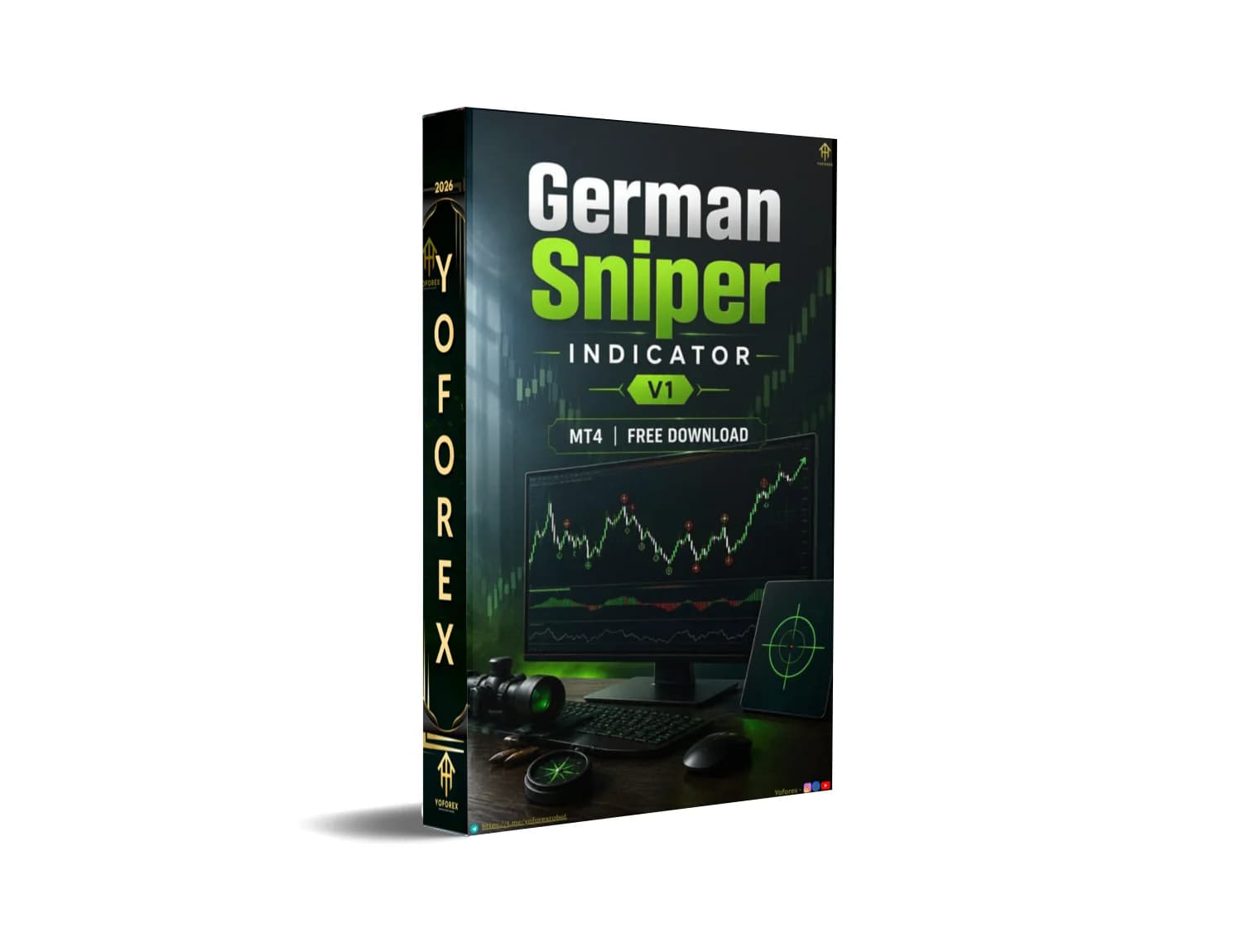
German Sniper Indicator V1 MT4: How It Approaches Trading and What Buyers Should Know Before Using It
Many traders want clear, visual entry zones with predefined stop-loss and take-profit levels so they can execute rules consistently without constantly redrawing support/resistance or second-guessing targets. Manual monitoring of potential bounce zones across multiple charts is time-consuming, and inconsistent application of the same rules often leads to missed or poorly timed trades.
German Sniper Indicator V1 MT4 is a custom MetaTrader 4 indicator designed to address this by plotting labeled entry lines and corresponding take-profit levels directly on the chart. This article focuses on how the indicator approaches trading, what buyers can verify, and the practical checks needed before deciding whether to purchase and use it.
What Is German Sniper Indicator V1 MT4?
German Sniper Indicator V1 is a non-repainting (in the versions commonly distributed) custom indicator for the MetaTrader 4 platform. It displays horizontal lines with text labels such as “SMART BUY ABOVE HERE” or “SMART SELL BELOW HERE” along with “TAKE PROFIT HERE” targets and suggested stop-loss guidance.
It is intended for traders who prefer a visual, rule-based approach rather than building every level manually. The indicator is suitable for scalping, day trading, and swing trading across various timeframes and instruments (forex majors/minors, gold, indices, and other CFDs, depending on the broker).
Because the exact internal algorithm is proprietary, buyers should treat it as a signal and level-display tool whose behavior must be verified on demo before live use.
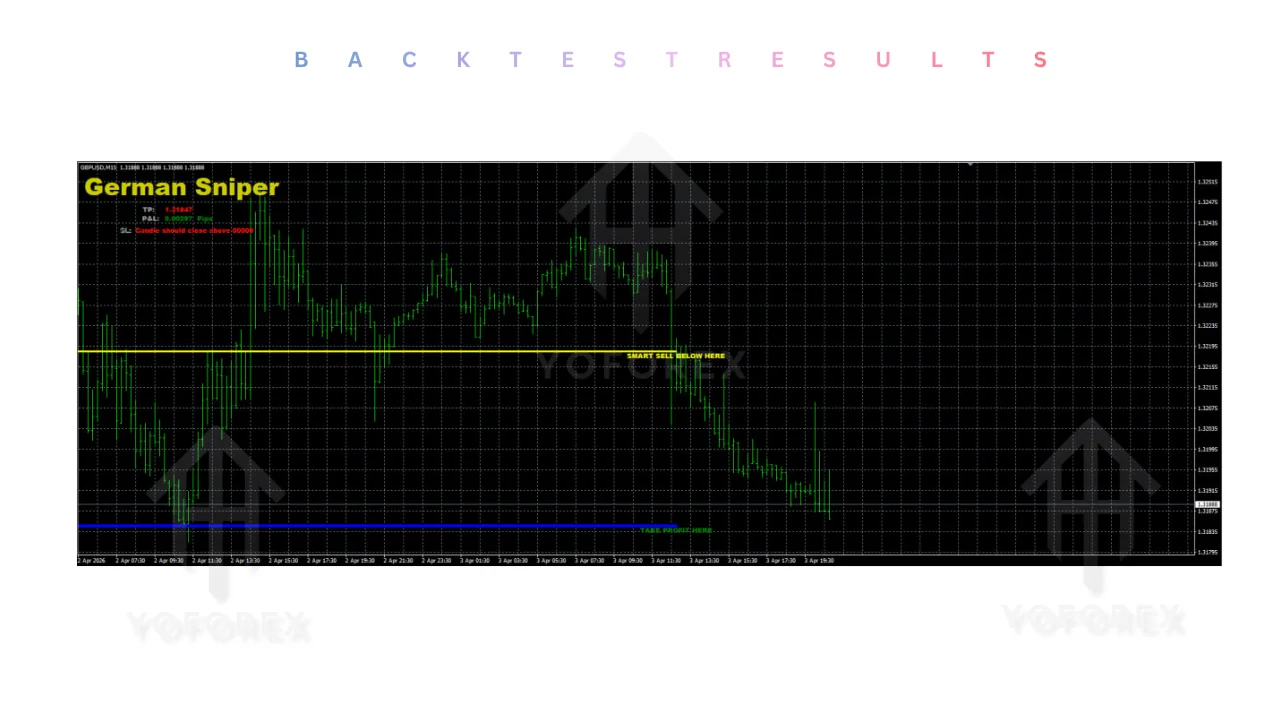
How German Sniper Indicator V1 Trades
The indicator identifies zones based on prior price reaction areas and plots clear directional guidance.
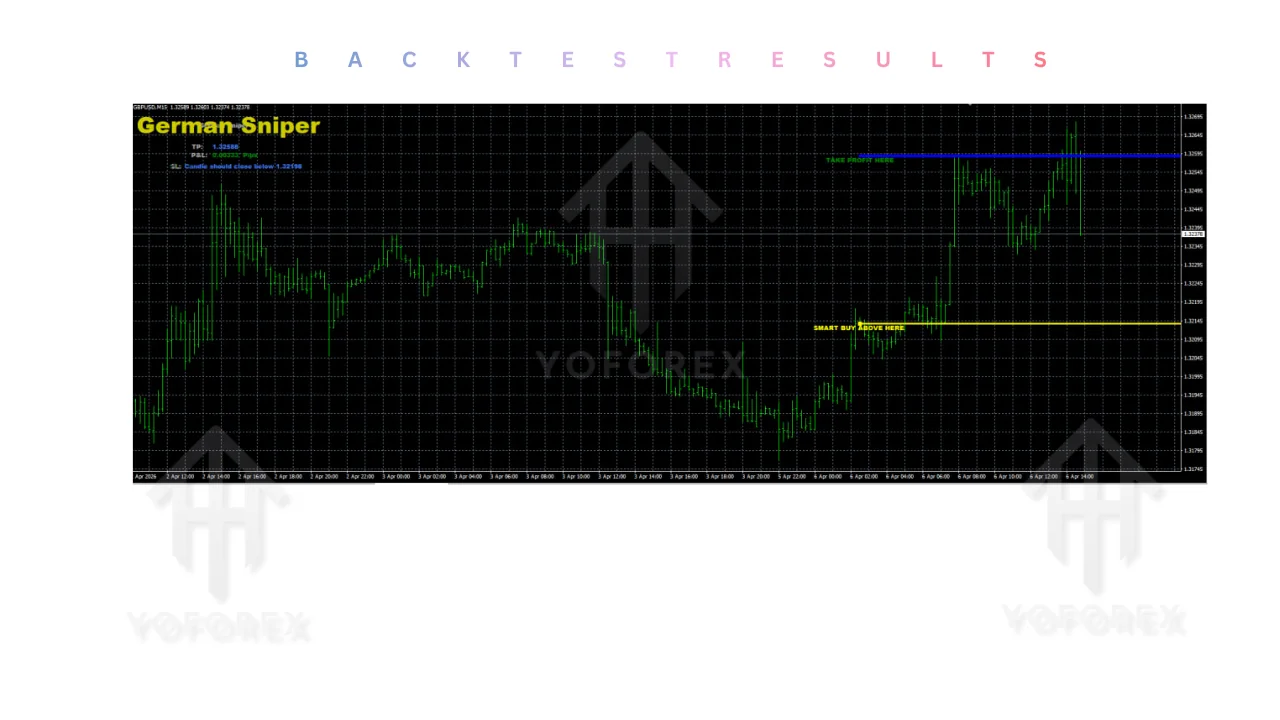
- A yellow line labeled “SMART BUY ABOVE HERE” (or similar) indicates a potential long zone. Traders typically wait for a candle close above the line before considering an entry.
- A yellow line labeled “SMART SELL BELOW HERE” indicates a potential short zone; traders wait for a candle close below the line.
- A blue “TAKE PROFIT HERE” line shows a suggested exit target.
- Stop-loss guidance is displayed on the chart (often as a level where a candle close against the position would invalidate the setup).
The underlying calculation is not publicly disclosed in detail. Some observers note similarity to dual SuperTrend-style lines that help define the entry zone, but this remains unverified. Buyers should not assume specific filters, momentum conditions, or volatility thresholds beyond what appears on the chart. Always confirm live behavior on the pairs and timeframes you intend to trade.
Trading Workflow
- Market condition / signal — The indicator plots the SMART BUY or SMART SELL line based on its internal logic.
- Entry — Wait for a candle close above the buy line or below the sell line.
- Position management — Place the stop loss at the level suggested by the indicator (or a level you define based on structure).
- Stop-loss / risk controls — Use the displayed guidance or your own fixed risk percentage. The indicator itself does not manage position size.
- Exit — Target the “TAKE PROFIT HERE” line or trail/adjust according to your rules.
- Automation — The tool is an indicator, not a fully automated Expert Advisor. Entries, stops, and exits remain manual (or can be semi-automated with additional scripts if desired).
Missing or unclear steps (exact filters, multi-timeframe confirmation, news filters) must be verified by the buyer through testing.
Quick Product Snapshot
Feature Details Platform MetaTrader 4 Strategy Visual entry zones + TP/SL levels Trading Style Scalping, day trading, swing Pairs Majors, minors, gold, indices (broker-dependent) Timeframe Any (commonly used on M5–H4) Entry Logic Candle close above/below labeled SMART lines Exit Logic Suggested TAKE PROFIT HERE line Risk Management Chart-displayed SL guidance; user-defined size Automation Indicator only (manual or semi-auto execution) Best For Traders wanting clear visual levels
Key Features That Matter to Buyers
| Feature | Details |
|---|---|
| Platform | MetaTrader 4 |
| Strategy | Visual entry zones + TP/SL levels |
| Trading Style | Scalping, day trading, swing |
| Pairs | Majors, minors, gold, indices (broker-dependent) |
| Timeframe | Any (commonly used on M5–H4) |
| Entry Logic | Candle close above/below labeled SMART lines |
| Exit Logic | Suggested TAKE PROFIT HERE line |
| Risk Management | Chart-displayed SL guidance; user-defined size |
| Automation | Indicator only (manual or semi-auto execution) |
| Best For | Traders wanting clear visual levels |
- Labeled SMART BUY / SMART SELL lines → Show potential entry zones with directional text. Buyers care because the visual cue reduces ambiguity about which side to trade.
- TAKE PROFIT HERE levels → Pre-plotted targets. Useful for consistent profit-taking without recalculating every time.
- Suggested stop-loss guidance → Appears on the chart. Helps define invalidation quickly.
- Works across multiple timeframes and instruments → Flexibility for different styles. Buyers can test the same logic on their preferred pairs.
- Simple visual interface → Minimal chart clutter once configured. Appeals to traders who want rules without complex overlays.
These features support rule consistency; they do not guarantee results.
What Traders May Like About the Approach
Traders often appreciate the reduction in discretionary decision-making once the lines appear. The fixed visual levels encourage consistent entries and exits, save time spent drawing zones manually, and make the setup repeatable across charts. Configurability of colors and styles (where available) allows personalization. The approach suits those who prefer a semi-structured system over pure discretionary trading.
No performance claims are made here. Results depend on market conditions, risk settings, broker execution, and the trader’s discipline.
What Traders Should Watch Out For
- Drawdowns can occur when price fails to respect the plotted levels or when markets are range-bound or news-driven.
- Performance varies with market conditions; trending periods may produce cleaner reactions than choppy ones.
- Risk settings (lot size, maximum risk per trade) are entirely the user’s responsibility.
- Broker conditions matter: wide spreads, high commissions, or poor execution quality can erode the edge of any level-based system.
- Slippage and requotes on lower timeframes can affect precise entries/exits.
- A VPS is optional for continuous monitoring but useful if you leave charts running.
- Over-optimization of any additional filters or settings can lead to curve-fitting.
- Backtests of proprietary indicators have inherent limitations; live and demo behavior can differ.
Always test thoroughly before risking capital.
Who Should Consider German Sniper Indicator V1 MT4?
- Beginners looking for a visual, structured starting point.
- Intermediate traders who want clearer levels without building everything from scratch.
- Experienced discretionary traders seeking a confirmation or zone tool.
- Busy traders who prefer predefined levels over constant chart analysis.
- Traders who already use support/resistance or trend-following approaches and want an automated visual layer.
- Algorithmic-minded users who may later combine the indicator with alerts or partial automation.
It fits traders comfortable with manual or semi-manual execution who value rule consistency.
Who Should Not Buy It?
- Traders expecting guaranteed profits or a “set-and-forget” fully automated EA.
- Those unwilling to demo-test extensively.
- Users whose platform is not MT4.
- Traders seeking a completely different methodology (pure price-action only, pure indicator-free systems, or high-frequency scalping with different logic).
- Anyone who cannot accept drawdowns or variable performance across market regimes.
Strategy-Based Buyer Checklist
Before purchasing, verify:
- Exact strategy behavior on your preferred pairs and timeframes
- Entry conditions (candle close rules)
- Exit conditions and TP placement
- Risk model and position sizing approach
- Historical and live drawdown characteristics
- Full MT4 compatibility
- Broker spread, commission, and execution quality
- Suitable timeframes and instruments
- Whether a VPS is needed for your style
- Available settings and color customization
- Quality of any provided backtests or live examples
- Ability to run extended demo testing
- Seller support and update policy
How to Test German Sniper Indicator V1 MT4
- Confirm the file is the correct .ex4 version for MT4 and review any included documentation.
- Install on a demo account (copy to MQL4/Indicators, restart MT4, attach to chart).
- Apply to multiple pairs and timeframes with realistic historical data where possible.
- Test default settings first, then any adjustable parameters.
- Monitor drawdown, win/loss distribution, and maximum consecutive losses.
- Review execution quality (entry timing relative to the lines, slippage).
- Check how the indicator behaves during news events and different sessions.
- Evaluate whether the risk/reward profile and signal frequency match your personal risk tolerance and available time.
Only move to live capital after you are satisfied with the demo results and have defined your own risk rules.
FAQs
How does the German Sniper Indicator V1 MT4 generate signals?
It plots labeled SMART BUY ABOVE HERE or SMART SELL BELOW HERE lines based on its proprietary logic, along with TAKE PROFIT HERE targets and stop-loss guidance. Exact internal calculations are not public.
Is this an Expert Advisor or just an indicator?
It is an indicator. Trade execution remains manual (or can be assisted by additional tools).
Which pairs and timeframes work best?
It can be applied to any instrument and timeframe supported by your broker. Common use includes majors, gold, and indices on M5–H4, but verification on your own charts is required.
Do I need a VPS?
Not mandatory for an indicator, but useful if you want continuous chart monitoring without leaving your computer on.
Can I change the settings?
Visual parameters (colors, styles) are typically adjustable. Core logic parameters are limited or absent in standard versions—confirm with the product files.
What risk management does it include?
It displays suggested stop-loss levels. Position sizing, maximum risk per trade, and overall account risk are controlled by the user.
How should I test it before buying or going live?
Install on a demo account, run it across different market conditions, measure drawdown and consistency, and confirm compatibility with your broker’s spreads and execution.
Where can I buy or get the official version?
Check the product page on the authorized seller site linked from yoforexea.com/blog or fxcracked.org/blogs for the current offer, support details, and any guarantees.
CONCLUSION
Review the strategy, check compatibility with your platform, pairs, and risk rules, test the setup thoroughly on demo, and decide whether German Sniper Indicator V1 MT4 fits your trading approach.
When you are ready, view the full product details, current pricing, and download options on the seller’s page to get started.
REFERRAL
Join the VIP Signals Telegram Channel for real-time expert trading signals and stay ahead in the forex market. Get personalized strategies by becoming a part of our Real Account Management Telegram Channel and optimize your trading experience. If you’re aiming to Pass PropFirm Challenges , join our dedicated channel for tips and proven methods. Start managing your capital effectively with expert advice from our Funded Account Management Telegram Channel. For advanced traders, our HFT EA / Passing Telegram Channel offers high-frequency trading insights and strategies to boost your performance.
Professional Assets
Unlock the expert tools and configurations mentioned in this article.
Get Files NowSecure Gateway • Verified by YoPips
Daniel Jackson
Kevin Anderson
Never miss a market crack.
Join 15,000+ traders receiving our weekly breakdown of elite tools and strategies.
No spam. Just high-impact trading insights.