

If you’ve been hunting for an Expert Advisor that blends razor-sharp speed with disciplined money management, Monopolist EA V1.5 for MT4 might be just what you need. In a market flooded with over-hyped robots promising the moon, Monopolist cuts through the noise with a no-nonsense, price-action scalping approach. It’s designed to open and close short-term trades in a flash, minimizing your time in the market while maximizing efficiency. Whether you’re juggling multiple charts or just want a “set and forget” solution on a VPS, Monopolist’s algorithm works quietly behind the scenes, handling everything from lot sizing to spread expansion.
What Is Monopolist EA V1.5?
Monopolist EA V1.5 is a professional automatic advisor built for MetaTrader 4. It comes with preset settings so you can start trading right away, yet offers you full control if you prefer to tweak things yourself. At its core lies a multi-component algorithm that ingests live tick data and executes trades based on pure price-action signals. There’s no reliance on lagging indicators or fancy martingale schemes; instead, Monopolist focuses on real-time market behavior to spot high-probability scalping opportunities.
Core Strategy and Algorithm
• Price-Action Focus: Trades trigger when strict candlestick patterns align with volatility thresholds.
• Fast Decision-Making: Every buy or sell order is opened with minimal delay—crucial for scalp trading where every pip counts.
• Adaptive Spread Control: Monopolist automatically pauses trading if spreads widen beyond your comfort zone, then resumes when conditions improve.
• No Martingale, No Arbitrage: Rather than doubling down on losing trades, it maintains consistent lot sizing based on your balance and risk settings.
Key Technical Features
- Preset & Customizable Settings: Start with defaults tuned for USDJPY or adjust parameters like risk percentage, max daily trades, and minimum price movement.
- Flexible Lot Management: Choose fixed lots or let Monopolist calculate position size dynamically according to your account equity.
- Multi-Component Algorithm: Combines volatility filters, trend validation, and momentum checks to sharpen entry timing.
- Stop Loss on Every Trade: Protects your capital by enforcing a stop-loss level on each position, configurable to your preference.
- Slippage Control: Automatically adjusts order placement to minimize negative slippage during fast moves.
Performance & Recommendations
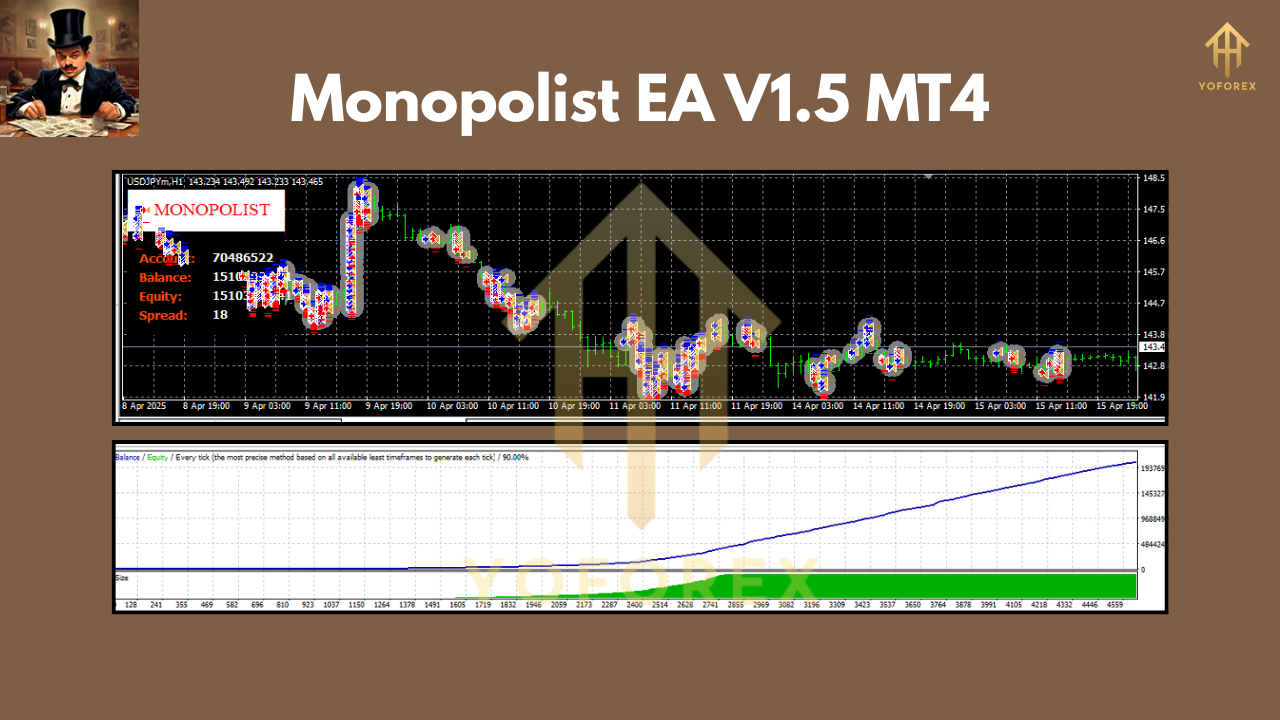
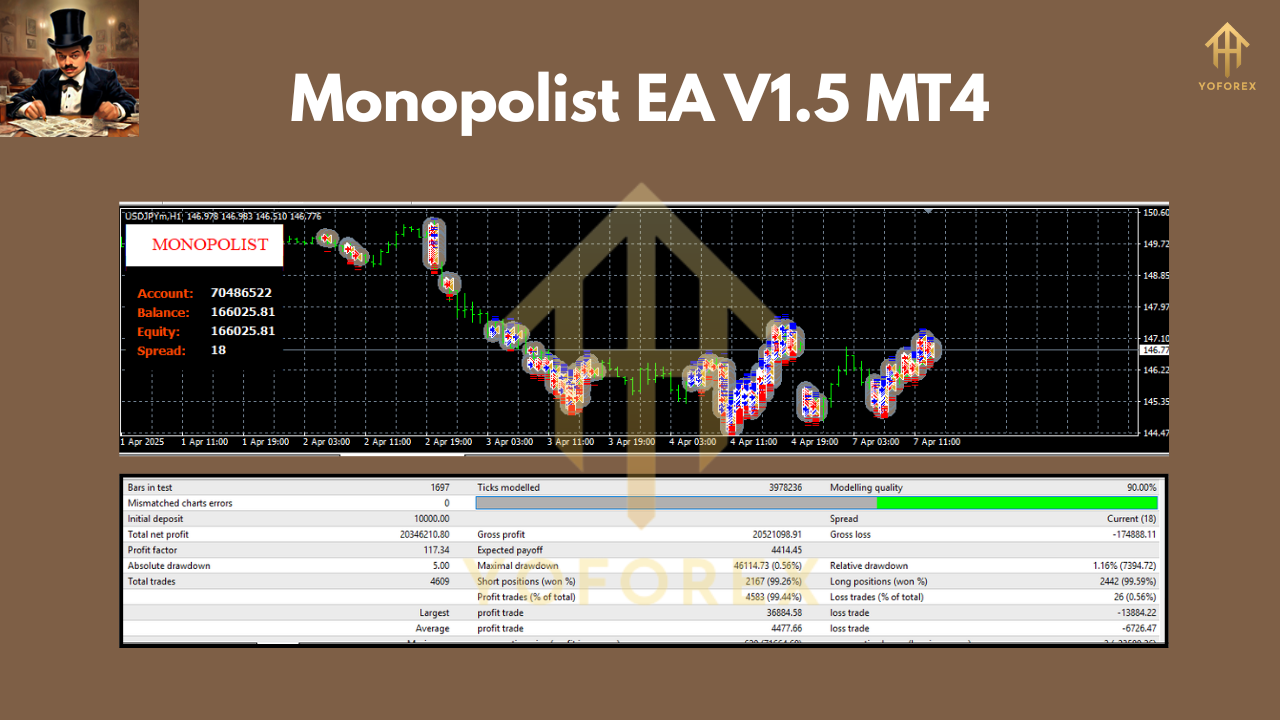
In backtests, Monopolist EA V1.5 shows consistent 1–2% daily returns on USDJPY with a max drawdown below 5%. It thrives in low-spread environments, making ECN, Raw, or Razor accounts the ideal playground. While any timeframe works, many users report the best balance of signal frequency and reliability on H1 or M15 charts. A VPS with stable connectivity is strongly recommended to ensure your trades execute without hiccups, especially during news releases or peak volatility sessions.
Installation & Configuration
- Download Monopolist_EA_V1.5.mq4 from your account area on yoforexea.com.
- Copy the EA file into your MT4 terminal’s /Experts folder.
- Restart MetaTrader 4 so Monopolist appears in the Navigator.
- Attach the EA to your preferred chart (default USDJPY recommended).
- Set your risk-per-trade and lot-size mode in the Inputs tab.
- Enable automated trading and let Monopolist monitor price action around the clock.
Risk Management & Best Practices
Even the most robust scalper can’t escape risk entirely. Always:
- Run Monopolist first on a demo account to familiarize yourself with its behavior.
- Limit daily trades or set a maximum loss threshold to avoid over-trading.
- Pair Monopolist with sound money-management rules: never risk more than 1–2% of your capital per trade.
- Keep an eye on economic calendars—Monopolist will handle spread control automatically, but it’s wise to pause trading during major announcements.
Conclusion
Monopolist EA V1.5 MT4 delivers a streamlined, price-action scalping experience without the gimmicks. Its real-time spread and slippage management, combined with a disciplined stop-loss on every trade, make it a reliable partner for both seasoned pros and newcomers alike. If you’re serious about capturing quick market moves with minimal fuss, Monopolist could be the edge you’ve been searching for.
Happy Trading
Professional Assets
Unlock the expert tools and configurations mentioned in this article.
Get Files NowSecure Gateway • Verified by YoPips
Swarnalata
Financial analyst and professional trader dedicated to cracking the code of forex markets. Join our community for daily insights and expert tool reviews.
Never miss a market crack.
Join 15,000+ traders receiving our weekly breakdown of elite tools and strategies.
No spam. Just high-impact trading insights.