
Ever opened two trades on different pairs... only to realize they're moving exactly the same way—or worse, canceling each other out?
That’s where the Pulse Matrix Correlation Indicator V1.0 MT4 shines. This powerful, lightweight tool helps you visually scan the correlation between major forex pairs in real-time—so you don’t overexpose your account or take contradictory positions.
Whether you’re hedging, diversifying, or just trying to avoid stacking similar trades, Pulse Matrix will help you do it smarter—and faster.
Overview: What Is Pulse Matrix Correlation Indicator MT4?
The Pulse Matrix Correlation Indicator is a sleek correlation matrix for the MetaTrader 4 (MT4) platform. It analyzes the relationship between multiple currency pairs based on historical price data and displays their correlation in an easy-to-read heatmap format.
Using a colored matrix, it highlights:
- Strong positive correlation (+0.8 to +1.0)
- Strong negative correlation (–0.8 to –1.0)
- Neutral or weak correlation (–0.3 to +0.3)
This helps you instantly know if you're entering overlapping trades or whether you're actually diversifying your exposure.
Perfect for multi-pair traders, prop firm challengers, or anyone managing multiple open positions.
Key Features of Pulse Matrix Correlation MT4
- Live Correlation Matrix: Shows real-time correlation updates for your selected forex pairs.
- Color-Coded Heatmap: Red for strong negative, green for strong positive, gray for neutral.
- Customizable Pair Selection: Choose the pairs you want to monitor.
- Adjustable Timeframes: Analyze on M15, H1, H4, or D1 levels.
- Non-Lagging Display: Instant refresh, no delay in data visualization.
- No Repaint: Once calculated, correlation data stays fixed until recalculated.
- Compact & Minimal UI: Doesn’t clutter your chart or slow down MT4.
- Supports Cross-Pair Analysis: Works for major, minor, and exotic pairs.
- Use with Any Strategy: Trend, hedge, swing, or scalp—this fits them all.
- One-Click Clarity: See which pairs move together or against each other instantly.
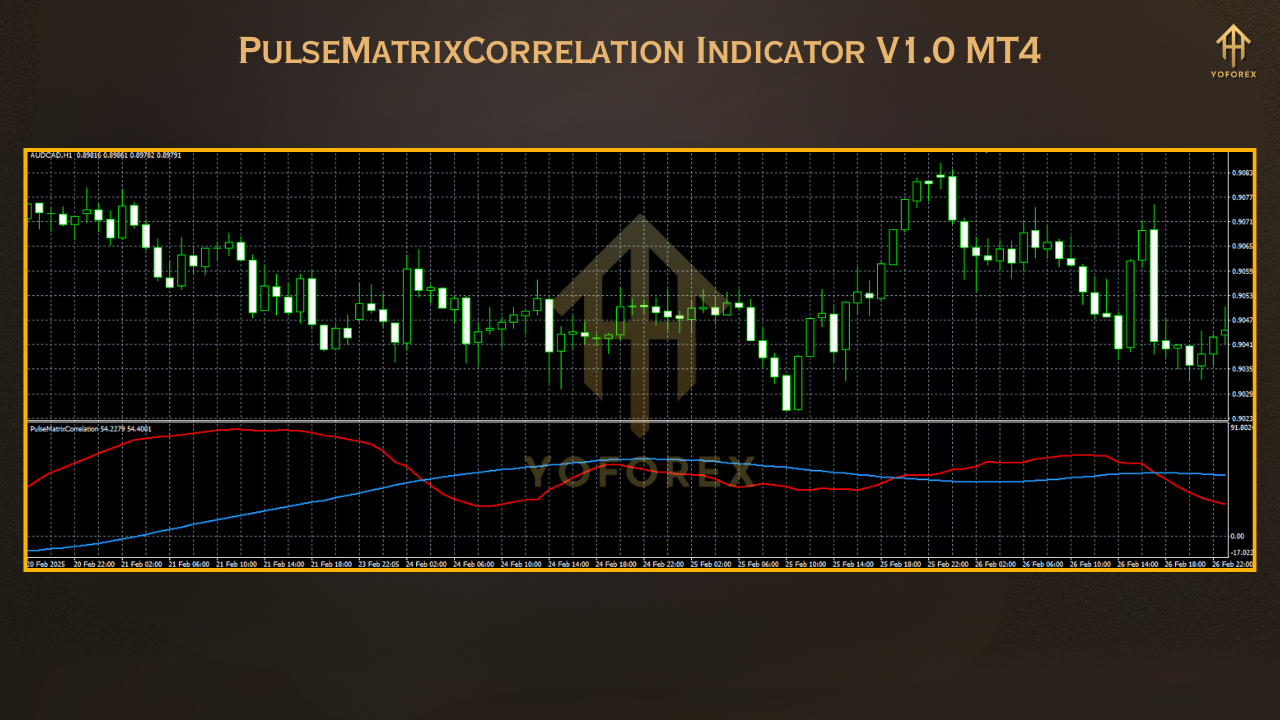
How It Works: The Pulse Matrix in Action
- Rows and columns = currency pairs
- Intersections = correlation coefficient (from –1 to +1)
- Colors = strength & direction of correlation
Interpretation Guide:
- +0.8 to +1.0 (Green): Strong positive correlation (e.g., EUR/USD & GBP/USD)
- –0.8 to –1.0 (Red): Strong inverse correlation (e.g., USD/CHF & EUR/USD)
- –0.3 to +0.3 (Gray): Weak or no correlation
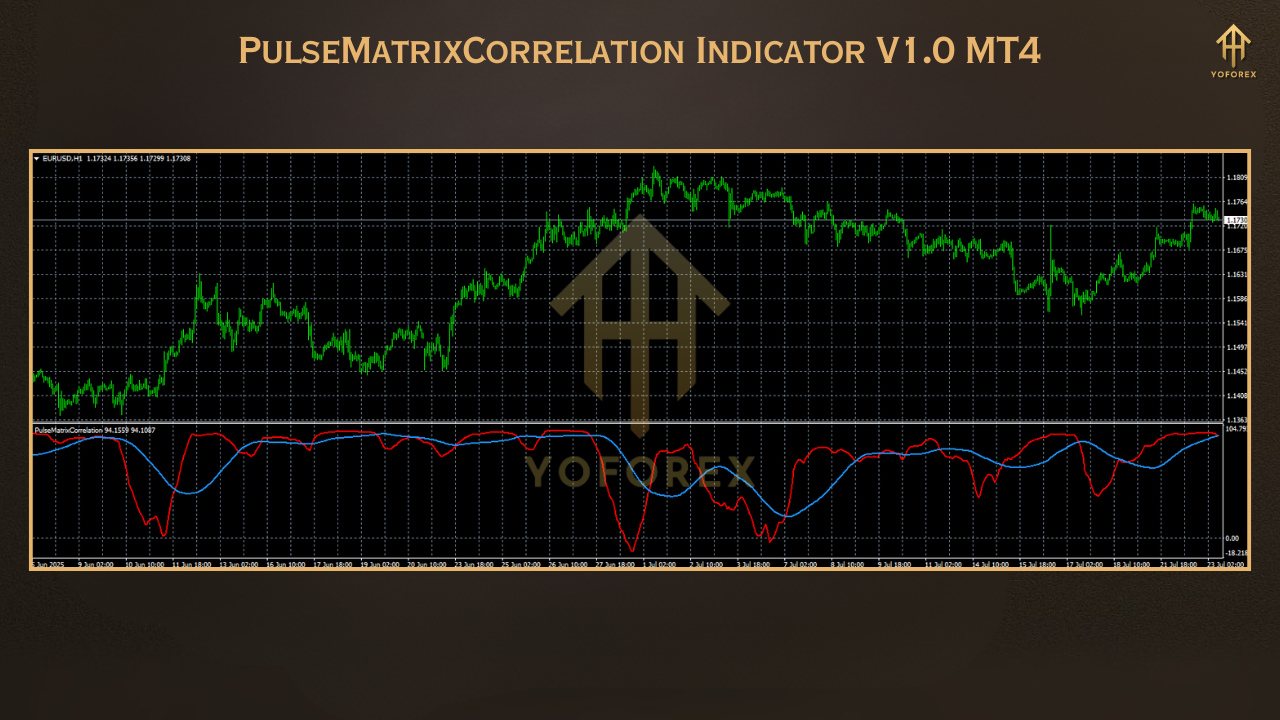
Why It’s a Game-Changer for Multi-Pair Traders
- Avoid trade duplication
- Diversify your positions wisely
- Identify high-confluence setups (when multiple pairs align)
- Trade stronger reversals on negatively correlated assets
Use Case Examples
- Scenario 1: You’re Long EUR/USD and GBP/USD
- Pulse Matrix shows +0.93 correlation → Risk is doubled. Consider dropping one or reducing lot size.
- Scenario 2: You’re Long EUR/USD and Short USD/CHF
- Pulse Matrix shows –0.96 correlation → You’ve effectively doubled your long EUR/USD exposure. Be aware!
- Scenario 3: Trend Confirmation
- Three major pairs (EUR/USD, GBP/USD, AUD/USD) all show strong positive correlation and signal long entries → Stronger conviction for your trade.
How to Install Pulse Matrix Correlation on MT4
- Download the
.ex4file from https://yoforexea.com - Open MT4 → File → Open Data Folder
- Navigate to
MQL4 → Indicators - Paste the file
- Restart or refresh MT4
- Drag Pulse Matrix Correlation onto any chart
- Configure pairs and timeframe (optional)
Support & Contact
Need help setting it up or understanding the numbers?
- ???? WhatsApp: https://wa.me/+443300272265
- ???? Telegram Group: https://t.me/yoforexrobot
We’re always here to assist—no matter your trading level.
Final Thoughts – Trade Smart, Not Blind
The Pulse Matrix Correlation Indicator V1.0 MT4 is the perfect tool for traders who operate on multiple pairs and want to cut through noise, duplication, and conflicting positions.
Don’t just trade what looks good—trade what makes logical, correlation-based sense.
✅ Download Now from: https://yoforexea.com
???? Join the Discussion: https://t.me/yoforexrobot
FAQ Schema Suggestions (Optional)
Q: Does Pulse Matrix repaint or lag?
A: No, the matrix uses fixed historical correlation—data does not repaint.
Q: Can I use it on metals or crypto?
A: Yes, but correlation strength may be weaker than forex majors.
Q: Which timeframes are supported?
A: You can select M15, H1, H4, or D1 for flexible analysis.
Professional Assets
Unlock the expert tools and configurations mentioned in this article.
Get Files NowSecure Gateway • Verified by YoPips
Sayan
Financial analyst and professional trader dedicated to cracking the code of forex markets. Join our community for daily insights and expert tool reviews.
Never miss a market crack.
Join 15,000+ traders receiving our weekly breakdown of elite tools and strategies.
No spam. Just high-impact trading insights.