
If you’ve ever stared at a chart wondering where the big money will step in… you already know the importance of supply and demand zones. The Super Signal of SupDem Zone Indicator MT4 takes that raw market concept and wraps it into a visual, alert-driven tool for MetaTrader 4. No more hand-drawing zones on every chart. No more guessing if your level is still valid. This indicator scans, plots, and even alerts you when price touches or reacts to those zones—so you can focus on execution.
What Is the Super Signal of SupDem Zone Indicator MT4?
At its core, this is a dynamic support and resistance mapping tool based on the principles of supply (selling pressure) and demand (buying pressure). The “Super Signal” component goes beyond passive plotting—when price interacts with these zones, the indicator generates a high-probability trade signal.
That means instead of just seeing rectangles on your chart, you’re given context + timing.
Who It’s For:
- Price action traders who hate clutter.
- Swing or intraday traders wanting objective zone marking.
- Anyone learning to identify high-impact reversal areas.
How It Works
- Zone Detection:
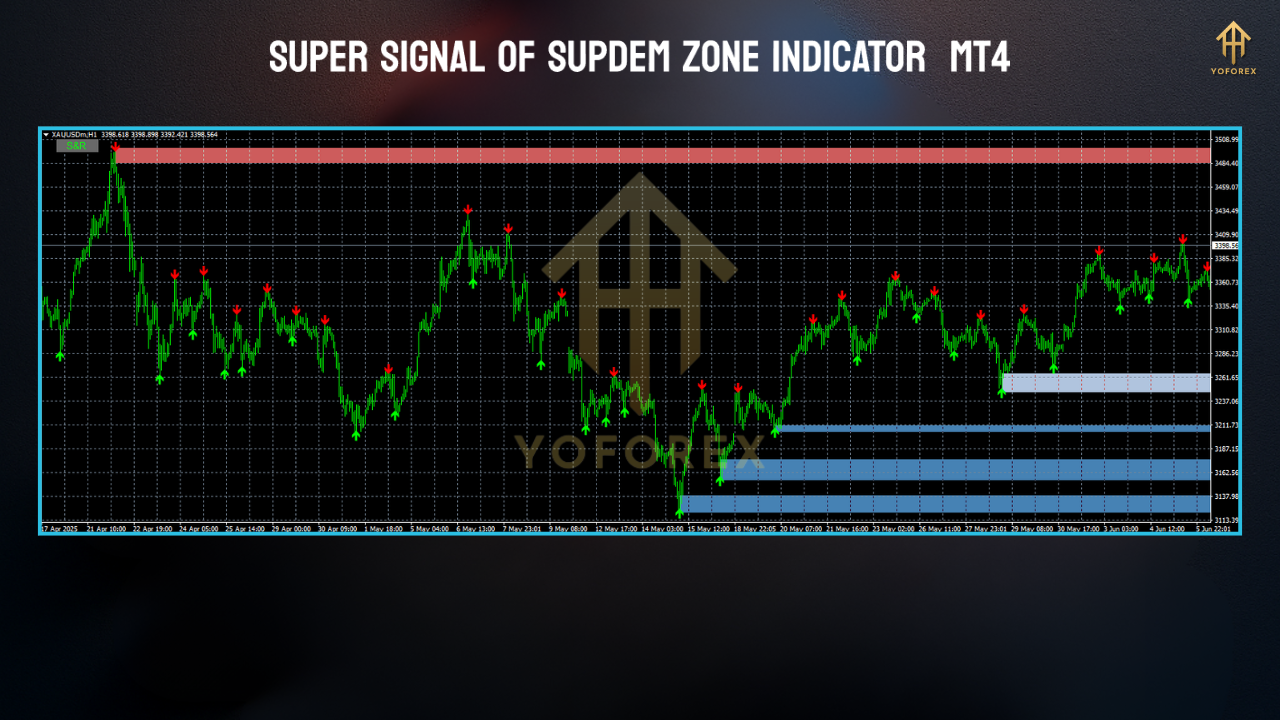
The indicator scans historical price action to find strong reaction points (peaks/troughs where price reversed sharply). These become supply (red) and demand (green) zones. - Zone Validation:
Only zones that caused significant moves are kept—weak levels get filtered out to reduce noise. - Signal Generation:
When price enters one of these zones, the “Super Signal” logic kicks in. If momentum stalls or reverses within the zone, the indicator issues a buy/sell signal. - Alerts:
Optional push, pop-up, and email alerts mean you don’t need to sit watching the chart all day.
Key Features
- Automatic Zone Detection – Saves time vs manual plotting.
- Dynamic Updates – Zones shift and expire as the market changes.
- Super Signal Alerts – Clear buy/sell cues when price reacts to a zone.
- Multi-Timeframe Support – Works on M1 to Monthly charts.
- Color-Coded Zones – Easy visual separation of supply vs demand.
- Alert Options – On-screen, sound, email, and push notifications.
- Customizable Sensitivity – Adjust how strong a zone must be to plot.
- Works on All Pairs & Assets – Forex, indices, commodities, crypto.
- Lightweight – Minimal lag, suitable for multiple charts.
- No Repainting of Confirmed Zones – Once confirmed, zones remain static until invalidated.
Recommended Settings
- Timeframes: H1 and H4 for swing trades, M15–M30 for intraday.
- Pairs: Major FX pairs for cleaner structure (EURUSD, GBPUSD, USDJPY).
- Zone Strength Filter: Medium to high for fewer, stronger zones.
- Alerts: Enable only for chosen pairs/timeframes to avoid overload.
- Chart Template: Combine with trend filters (e.g., moving averages) for confluence.
Practical Trading Tips
- Trade with Trend:
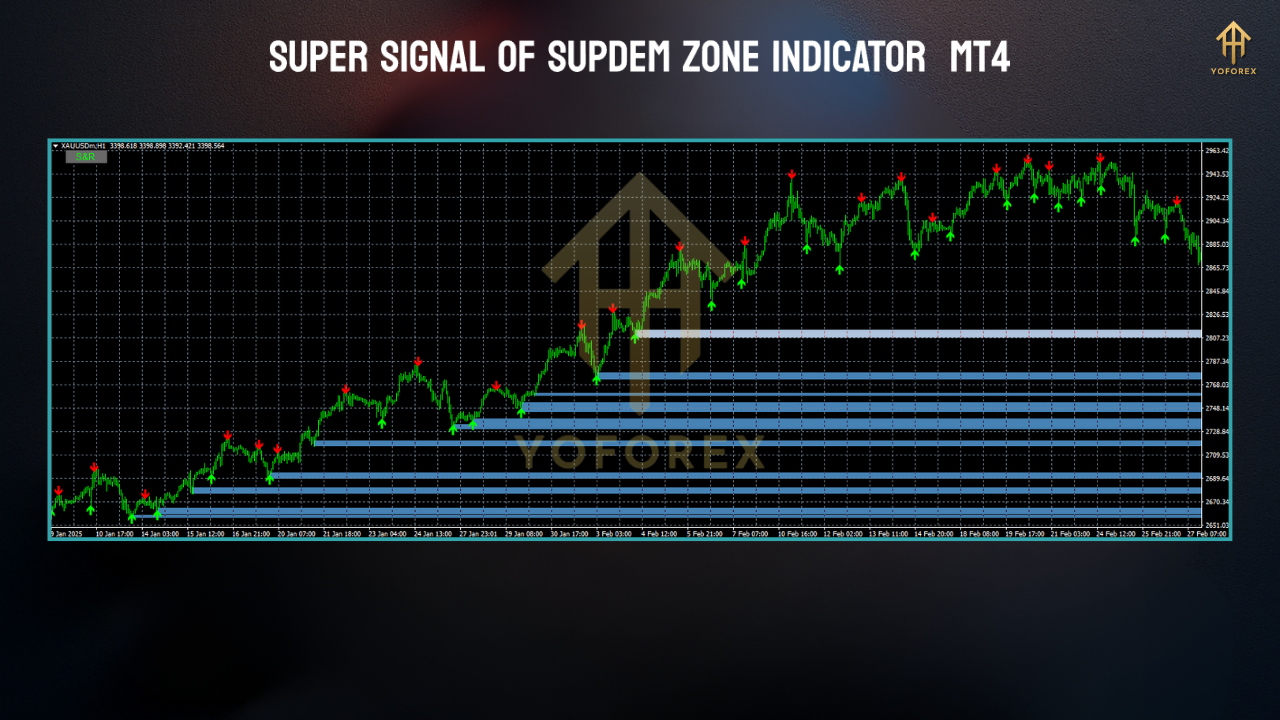
If the overall bias is bullish, look for long signals in demand zones; if bearish, short signals in supply zones. - Wait for Confirmation:
Use candlestick reversal patterns (pin bars, engulfing) to confirm zone reactions before entering. - Mind the News:
Supply/demand edges can fail during high-impact news—use a calendar filter. - Risk Management:
Stop loss just beyond the zone; targets can be set at the next opposing zone or key swing level.
Installation & Setup
- Download Super Signal of SupDem Zone Indicator for MT4.
- Open MT4 → File → Open Data Folder → MQL4 → Indicators.
- Paste the
.ex4or.mq4file inside Indicators. - Restart MT4 or refresh the Navigator window.
- Drag the indicator onto your chart and adjust settings as needed.
Why This Indicator Stands Out
While many supply/demand tools just draw zones and call it a day, the Super Signal of SupDem Zone actually combines zone logic + actionable signals. This reduces the “now what?” moment many traders face after identifying a zone. You get timing cues without losing the raw price-action feel.
Final Thoughts
The Super Signal of SupDem Zone Indicator MT4 is not a magic bullet—no indicator is. But if you’re looking for a structured, visual, and alert-based approach to supply/demand trading, it’s a serious upgrade from manual plotting. Pair it with a disciplined entry/exit plan, and it can become a cornerstone in your price action toolkit.
Professional Assets
Unlock the expert tools and configurations mentioned in this article.
Get Files NowSecure Gateway • Verified by YoPips
Sayan
Financial analyst and professional trader dedicated to cracking the code of forex markets. Join our community for daily insights and expert tool reviews.
Never miss a market crack.
Join 15,000+ traders receiving our weekly breakdown of elite tools and strategies.
No spam. Just high-impact trading insights.