
Sick of repainting indicators that change their signals after the fact? We've all been there—chasing false signals and blowing trades because an indicator “looked good” until it didn’t.
That’s where the Volatility Quality NRP Arrows Indicator for MetaTrader 4 (MT4) shines. It’s designed to provide accurate, non-repainting buy/sell arrows based on volatility quality filtering, so you can trade with confidence and clarity.
Whether you scalp, swing, or even trade prop firm challenges—this tool helps cut through noise and pinpoints entries based on real price volatility and momentum.
What is Volatility Quality NRP Arrows Indicator?
The Volatility Quality NRP Arrows Indicator is a custom-developed, non-repainting trend-following indicator for MT4. It displays buy and sell arrows directly on the chart using a refined formula that filters out poor-quality signals caused by random price noise.
“NRP” stands for Non-Repainting—so the arrows stay fixed after appearing. That’s a huge plus if you’re tired of indicators that repaint and confuse your entries.
Unlike standard trend tools that follow laggy logic, this one responds only to verified volatility shifts, giving you early but reliable signals without getting faked out every 10 pips.
Key Features of Volatility Quality NRP Arrows
- Non-Repainting Arrows – 100% fixed signals—what you see is what you trade.
- Volatility Filtering – Detects high-quality momentum shifts only.
- Works on Any Pair or Asset – Forex, metals, crypto, indices—all covered.
- Multiple Timeframe Compatible – Use on M5 for scalping or H4 for swing trades.
- Clear Chart Visuals – Green arrow = buy, red arrow = sell, that simple.
- No Lag – Responds in near real-time without sluggish calculations.
- Built for MT4 – Lightweight and runs smooth even on low-spec setups.
- Perfect Add-On for SMC, Price Action, or Trend Systems – Use it as a filter or confirmation tool.
- No Martingale, No Guessing – Just signal and go.
- Completely Free – Courtesy of the YoForex team.
How Does It Work?
The indicator applies a volatility-based smoothing formula that calculates:
- Signal strength
- Directional bias
- Volatility quality rating
Once the conditions are met, a non-repainting arrow appears at the candle close. This means there’s no shifting, no vanishing, and no misleading visuals after the trade.
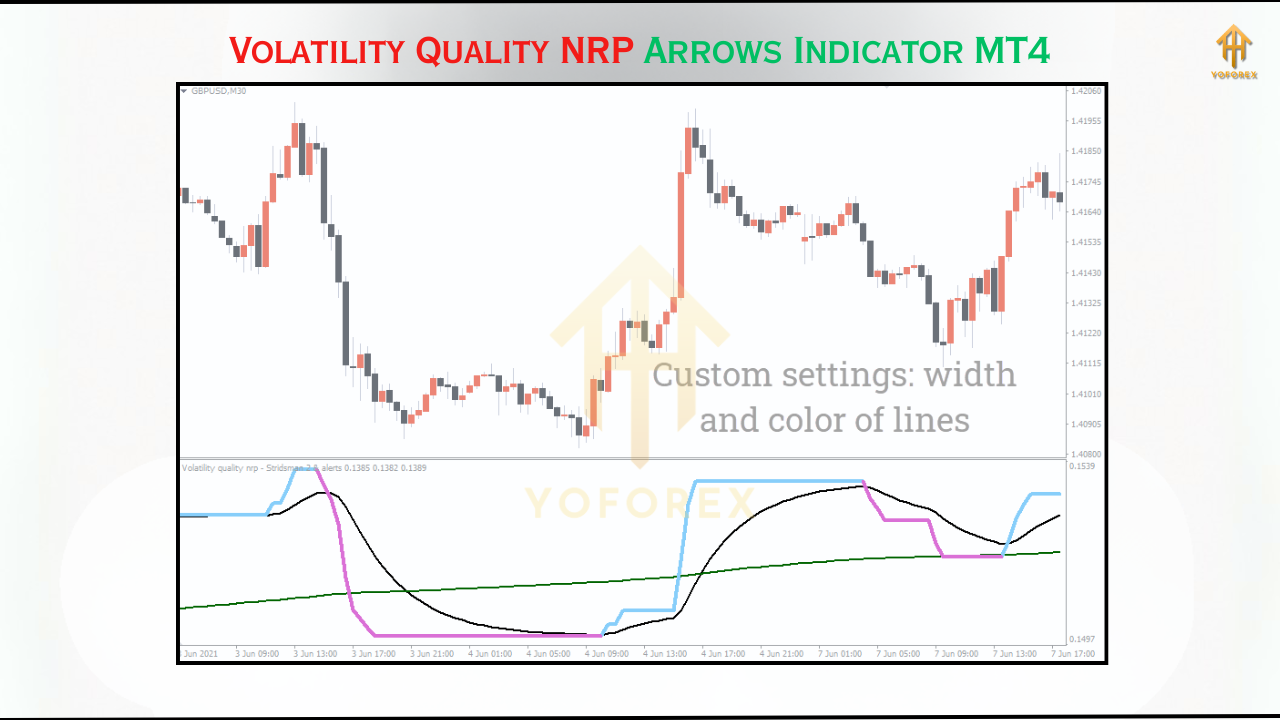
Buy arrows appear when:
- Price is increasing with strong volatility
- Bearish pressure drops significantly
- Quality score crosses threshold
Sell arrows appear when:
- Bearish volatility dominates
- Bullish attempts fade quickly
- Overall conditions signal continuation or reversal
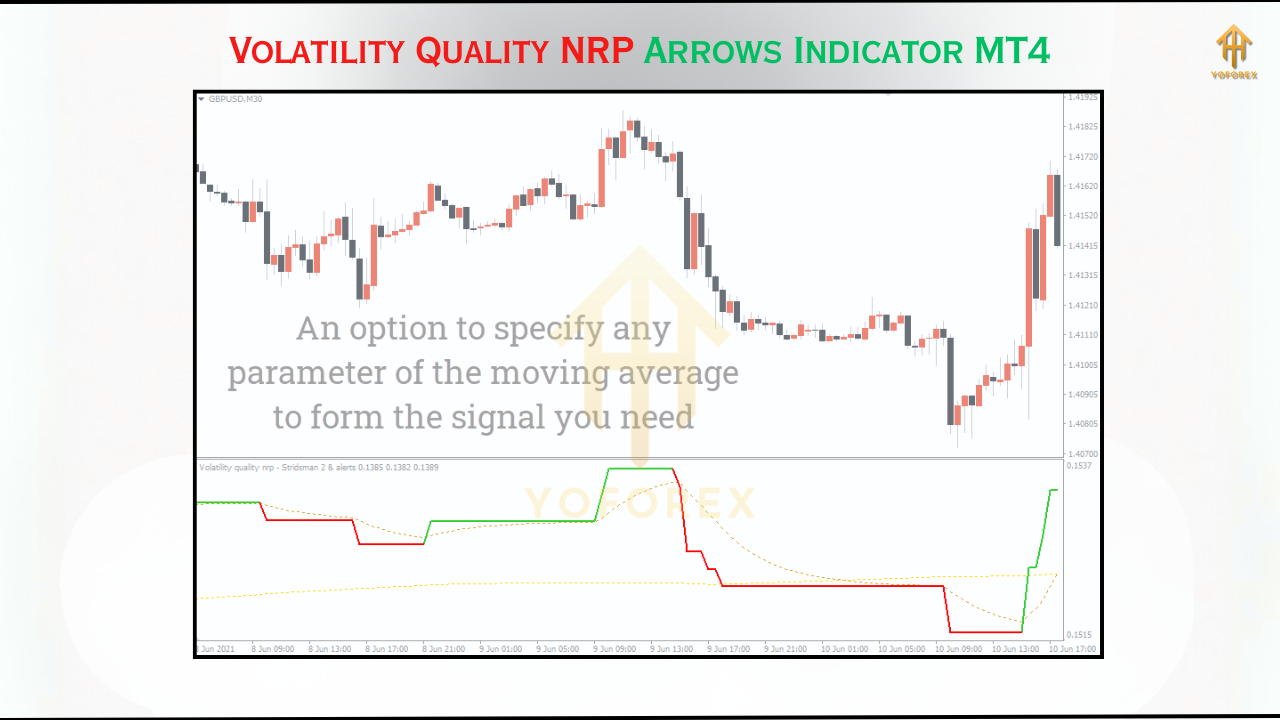
Chart Example: How It Looks
- Green arrows marking high-confidence long setups
- Red arrows flagging reliable short opportunities
- Minimal signals during choppy or sideways market phases
Installation Guide for MT4
- Download the Indicator
???? Download Volatility Quality NRP Arrows Indicator - Open Your MT4 Folder
- Go to: MT4 → File → Open Data Folder
- Navigate to:
MQL4/Indicators - Paste the File
- Copy
.ex4file into the folder - Close and restart MT4
- Apply to Any Chart
- Drag it from the Navigator to your chart
- Recommended pairs: EURUSD, GBPUSD, XAUUSD
- Timeframes: M15, H1, or H4
- Optional Settings
- Customize arrow color, size, or alert pop-ups under indicator settings
Best Use Cases and Strategy Tips
???? 1. Scalping Strategy (M5–M15)
- Use the indicator on EURUSD or XAUUSD
- Enter on arrow confirmation + candle close
- Use small fixed SL + TP or trail manually
???? 2. Trend Continuation (H1–H4)
- Wait for arrow confirmation in trend direction
- Add confluence with 50 EMA or price structure
- Ride the move until opposite arrow appears
???? 3. Prop-Firm Risk Control
- Combine with ATR filter and set strict SL/TP
- Avoid overtrading—1–2 signals/day is enough
- Pair with N.T.M EA V2.0 MT5 for hybrid manual/auto setups
Why Download from YoForex?
✅ 100% Free (No cracked stuff, all clean builds)
✅ Updated regularly
✅ Support via Telegram and WhatsApp
✅ Community-tested and reviewed
✅ Ideal for both beginners & pros
Explore more premium-free tools on YoForex Downloads.
Risk Notice & Support
The Volatility Quality NRP Arrows Indicator is a technical tool, not a holy grail. Always combine with proper money management and confirm signals before entry.
Need help or have questions?
???? Telegram Chat Support
???? WhatsApp Support
Happy Trading
Professional Assets
Unlock the expert tools and configurations mentioned in this article.
Get Files NowSecure Gateway • Verified by YoPips
Sayan
Financial analyst and professional trader dedicated to cracking the code of forex markets. Join our community for daily insights and expert tool reviews.
Never miss a market crack.
Join 15,000+ traders receiving our weekly breakdown of elite tools and strategies.
No spam. Just high-impact trading insights.