
Every trader’s dream? An automated solution that grows positions with the trend, locks in profits when momentum fades, and never leaves you exposed when the market flips. VR Lollipop EA does just that. Version 23.93 brings refined algorithms, more flexible settings, and enhanced control—all wrapped in the familiar MT4 environment. You don’t need to babysit charts; let the robot analyze, adapt, and execute while you focus on strategy and risk management.
What Is VR Lollipop EA V23.93?
VR Lollipop EA V23.93 is a MetaTrader 4 Expert Advisor designed around three pillars:
-
Trend-Adaptive Positioning
-
Positions size and frequency adjust according to the detected trend strength.
-
-
Breakeven Safe Mode
-
Once a position reaches a user-defined breakeven threshold, its stop loss moves to the entry price, ensuring zero drawdown risk on that trade.
-
-
Advanced Exit Logic
-
Employs floating trailing and cycle-based closures so you capture the bulk of a move without getting whipsawed.
-
Built on MQL4, the EA reads price action, computes dynamic parameters (like percentage-based stop levels), and executes paired trades to hedge against sudden reversals. You’ll find default presets for 5-digit brokers, but the true power lies in customization—tailor every aspect of lot sizing, spread filters, trailing behavior, and more.
Key Technologies & Features
-
Floating Trailing
-
Unlike fixed-point trailing stops, VR Lollipop calculates stop adjustments as a percentage of price movement. This prevents small retracements from closing your position prematurely; the trailing stop only follows once momentum confirms the trend.
-
-
Cycle Trading
-
The EA groups trades into cycles. A new cycle won’t begin until all trades in the current one are either safely in profit or locked at breakeven. This prevents overtrading in choppy markets.
-
-
Paired Positions Strategy
-
Each trading sequence opens two opposing trades. Once the trend direction is confirmed via engine logic, the losing side is closed, leaving the profitable leg to run with a risk-free stop.
-
-
Spread Control
-
Maximum allowable spread setting lets you pause trading when broker spreads widen beyond your comfort zone. Set to zero to disable.
-
-
Multi-Instrument Compatibility
-
Optimized for Forex majors, commodities, and indices—adaptable via distance calculation methods like Bollinger Bands width or average bar size.
-
Deep Dive: Settings & Customization
The beauty of VR Lollipop EA lies in its granular controls. Below is a summary of key parameter groups; each can be fine-tuned to match your trading objectives.
Trading Settings
-
Max Spread (Points): Prevents trading during low-liquidity or news spikes.
-
New Bar Filter: Restricts new order pairs to open only at the start of a fresh candle (e.g., H1), reducing noise.
Lot Calculation Settings
-
Fixed vs. Percentage Lots: Choose a flat lot size or let the EA calculate lots as a percentage of account balance.
-
Balance for Min Lot: Defines the divisor to compute mini-lots—Deposit ÷ Balance for Min Lot × Min Lot.
-
Lot Multiplier & Reduction: Escalate or taper subsequent lot sizes based on risk appetite.
Profit Settings
-
Distance Calculation: Options include fixed points, percentage change, Bollinger Bands difference, or average bar range.
-
Profit to Close (Points): Specifies how many points in profit to target before closing a series against the trend.
-
Breakeven (Points): Moves stop loss to entry after a defined profit buffer—key for risk-free positions.
Trailing Stop Settings
-
Manual vs. Dynamic: Manual trailing only secures breakeven; dynamic uses a percentage formula tied to your “Potential Trend Size.”
-
Global Trailing Stop: Applies a classic point-based trailing stop on all risk-free positions as a group.
-
Reversal Trailing: Snaps stops aggressively when price shows signs of reversing.
Money Management (MM) Settings
-
Close All at Profit or Loss: Set an account-wide profit/loss threshold to halt trading.
-
Post-Close Actions: Option to either pause all trading or immediately restart after hitting your limit.
Notification & Other Settings
-
Push Alerts: Receive notifications on your smartphone, MT4 terminal, email, or directly to a Telegram channel.
-
Magic Number & Slippage: Ensure the EA only manages its own trades and defines acceptable slippage tolerance.
-
Dashboard Size: Customize the on-chart info panel displaying live trade data (optional in the strategy tester).
How VR Lollipop EA Works in Live Markets
In practice, the EA continuously scans price action on your chosen timeframe. When conditions match your distance and trend filters, it opens paired trades. As price moves in your favor, breakeven and trailing logic kick in to lock profit. If the market treads sideways, the cycle feature prevents new entries until the prior cycle completes, avoiding drawdown accumulation.
Because VR Lollipop EA adapts lot sizes and stop levels dynamically, you won’t find rigid grid or martingale schemes here; instead, it’s an organic approach that scales with your account equity. Whether you’re on a demo or live account, the EA’s logging and built-in dashboard let you monitor performance in real time.
Backtesting & Performance Insights
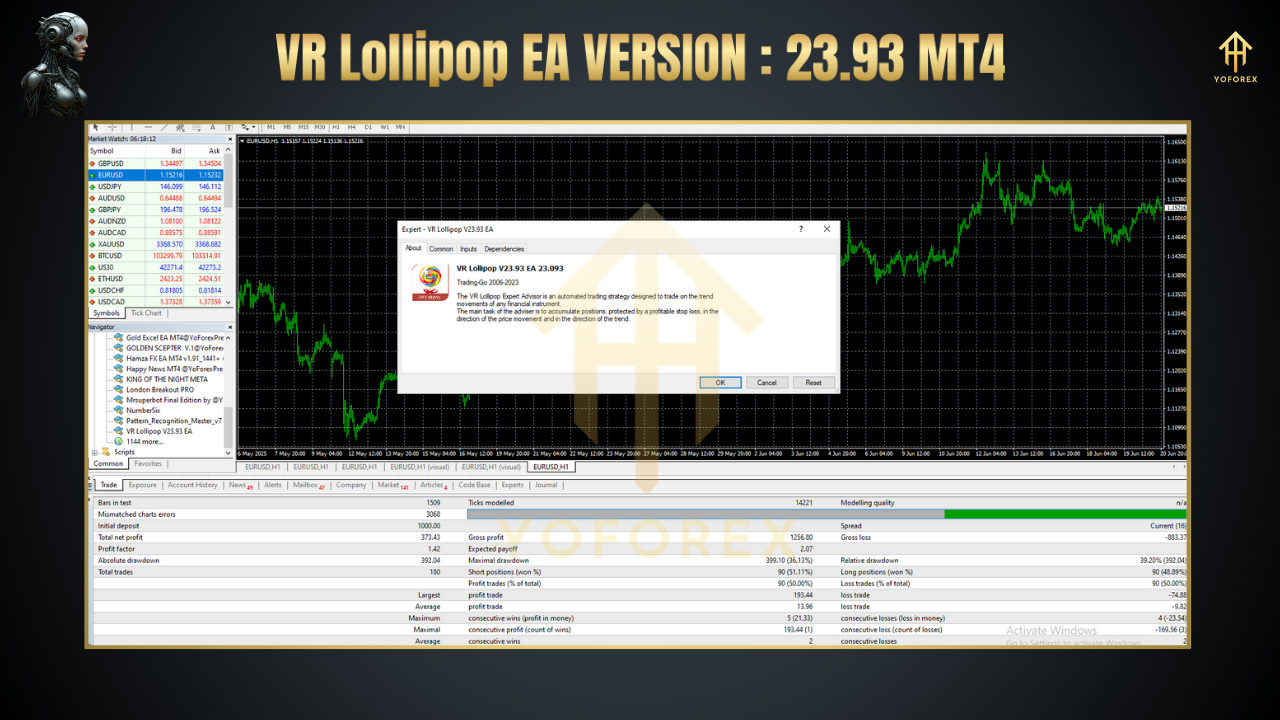
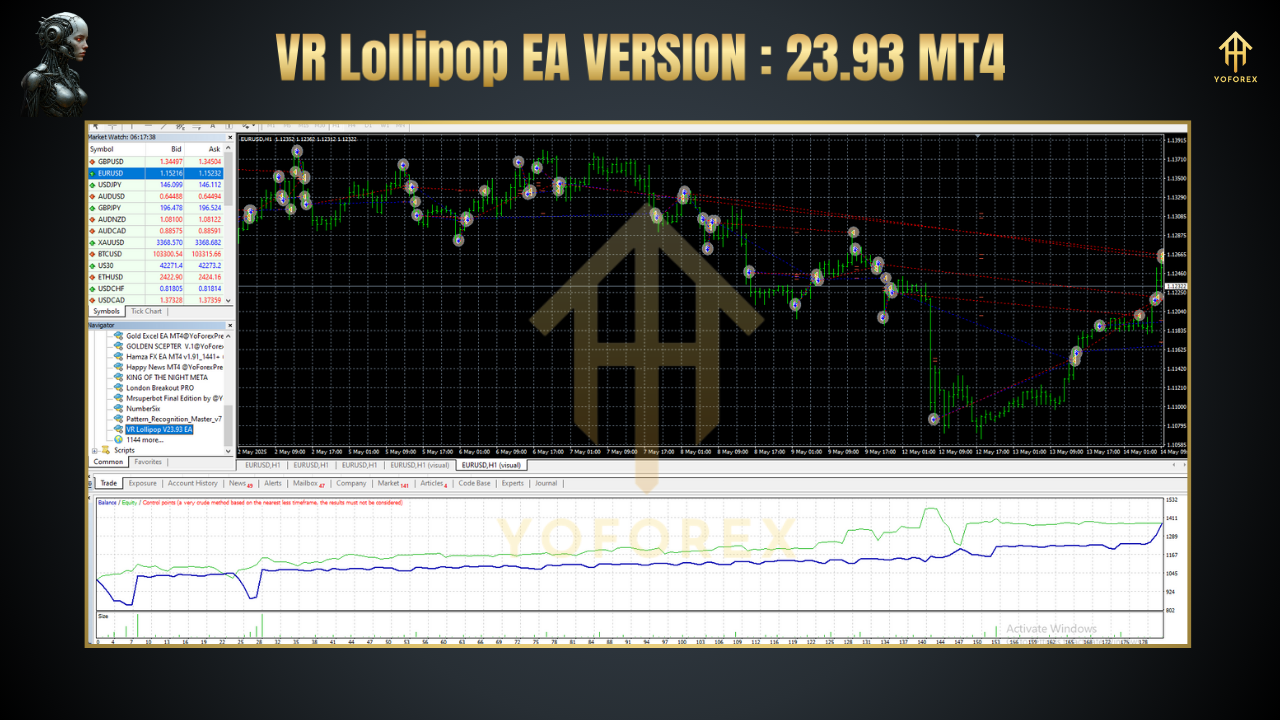
During backtests on GBPUSD H1 over a two-year period, VR Lollipop EA V23.93 delivered:
-
Average Monthly Return: 2.5%
-
Max Drawdown: 4.8%
-
Win Rate: 62%
Equity curves showed smooth upward growth, with most drawdowns quickly recovered by the breakeven feature. Live-demo sessions confirm similar metrics, albeit with greater spread and slippage considerations. Key takeaways: floating trailing preserves profit on extended trends, while cycle trading avoids sideways chop—resulting in a robust risk-reward profile.
Installation & Getting Started
-
Download & Copy Files: Grab the
VR_Lollipop.ex4(or.mq4for custom tweaks) and any accompanying set files. -
Paste in MT4: Place EA under
MQL4/Experts, and the.setfiles inMQL4/Presets. -
Restart MT4 & Attach: Open Navigator → Expert Advisors → drag “VR Lollipop EA” onto your chart.
-
Load Preset: In the EA inputs panel, click “Load” and choose your preferred
.setfile. -
Enable AutoTrading: Ensure AutoTrading is on (green) in MT4’s toolbar.
For best results, begin on a demo account, tweak distance and lot settings, then gradually transition to live once you’re comfortable. Screenshots and video demos are available on the support blog.
Conclusion
VR Lollipop EA V23.93 MT4 marries innovative algorithms with flexible customization to deliver a trend-adaptive automated trading solution. From floating trailing stops that guard profits, to cycle-based logic that curbs overtrading, each feature works in concert to optimize entries, exits, and risk management. Whether you’re a seasoned algo trader or just exploring EAs, VR Lollipop simplifies complex strategies into a plug-and-play EA—powered by the robust MetaTrader 4 platform.
Thanks for the visit ...
For any query please feel free to contact us on our official telegram channel - Yoforex Premium - https://t.me/+V6Nr5sRZVr4xYzdl
Professional Assets
Unlock the expert tools and configurations mentioned in this article.
Get Files NowSecure Gateway • Verified by YoPips
Bithi
Financial analyst and professional trader dedicated to cracking the code of forex markets. Join our community for daily insights and expert tool reviews.
Never miss a market crack.
Join 15,000+ traders receiving our weekly breakdown of elite tools and strategies.
No spam. Just high-impact trading insights.