
X BREAKOUTBOX Indicator MT4: Making Precise Breakout Trading Simple
A Straightforward Approach to Breakout Trading
Missing major breakouts due to lagging or repainting indicators is a common frustration among forex traders. Whether you're a novice navigating through your first charts or an experienced trader mastering market structure, identifying precise breakout points remains a challenge. You anticipate a breakout, draw your levels, and wait. Either the market never breaks—or it does, but by the time you react, it's already reversed.
Enter the X BREAKOUTBOX Indicator for MetaTrader 4 (MT4)—a smart, structured, and visual solution that helps you pinpoint breakout zones without the guesswork. This indicator is designed to draw breakout boxes automatically on your chart, allowing you to plan your trades more confidently and systematically.
In this detailed guide, we’ll explore what the X BREAKOUTBOX Indicator is, how it works, its key features, usage techniques, pros and cons, and why it continues to be a go-to tool for breakout traders around the world.
What is the X BREAKOUTBOX Indicator MT4?
The X BREAKOUTBOX Indicator is a custom technical analysis tool developed specifically for MetaTrader 4. Its core purpose is to identify price consolidation zones, typically during less volatile sessions like the Asian session, and then draw a visual "box" around that range. This allows traders to prepare for potential breakouts during more volatile sessions like the London or New York open.
Rather than relying on complex prediction algorithms, this indicator maps out clean high-low zones based on recent price action. It’s ideal for those who prefer structured setups, especially traders who utilize price action, session-based analysis, or breakout strategies.
Core Benefits for Traders
- Eliminates the need for manual line drawing
- Helps define clear breakout levels
- Supports pending order placement and risk management
- Enhances clarity in volatile or indecisive markets
- Suitable for scalpers, intraday, and swing traders alike
Key Features
1. Session-Based Box Creation
- Allows users to specify which trading session (e.g., Asian, London) to monitor.
- The indicator automatically draws a box around the high and low of the selected session.
2. Non-Repainting Logic
- Once the box is plotted, it stays intact.
- No redrawing or shifting of historical levels ensures reliability.
3. Custom Timeframe Inputs
- Users can define specific hours to analyze instead of fixed sessions.
- Supports short boxes (e.g., 3-hour ranges) or longer consolidations.
4. Visual Customization
- Traders can change box colors, border thickness, and opacity.
- Designed to suit all chart styles, from minimalist to detailed.
5. Built-In Alert System
- Set alerts for price crossing the upper or lower boundary of the breakout box.
- Alerts can be pop-ups or push notifications.
6. Timezone Auto-Adjustment
- Automatically aligns with your MT4 broker’s timezone, ensuring session accuracy.
7. Support for Multiple Day Boxes
- Enables traders to compare multiple session boxes across several days.
- Useful for identifying patterns, repeated breakouts, or fakeouts.
8. Optimized for Speed
- Engineered to run efficiently without lag, even on lower timeframes like M5 or M15.
9. Clean Chart Design
- Does not clutter your screen with additional indicators or signals.
- Offers a clean breakout visualization without distractions.
10. Instrument Compatibility
- Works on any forex pair, index, or commodity.
- Particularly effective on XAUUSD, GBPJPY, EURUSD, and US30.
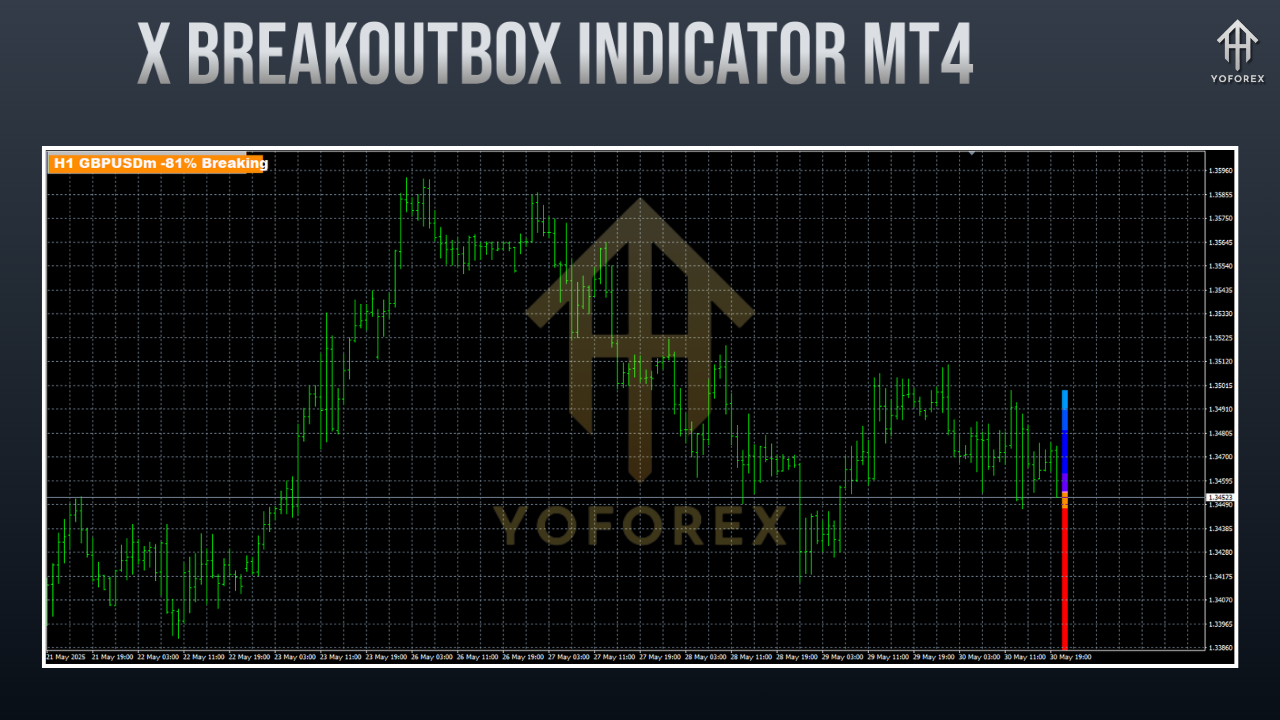
Why Breakout Trading Still Works
Breakout trading is built on a fundamental market principle—consolidation followed by expansion. Markets often range when there's equilibrium between buyers and sellers. When this balance is disrupted, a breakout occurs, often leading to significant price moves.
However, not every breakout is reliable. Fakeouts (false breakouts) are common and can trap unprepared traders. The X BREAKOUTBOX Indicator helps mitigate this by:
- Clearly defining consolidation zones
- Allowing structured pending order placements
- Providing predefined stop-loss and take-profit zones
- Supporting disciplined and emotionally neutral trading
How to Use the X BREAKOUTBOX Indicator on MT4
Step 1: Download and Install
- Download the
.ex4indicator file from a trusted source or your preferred vendor. - Place the file in the
Indicatorsfolder inside theMQL4directory of your MT4 installation. - Restart your MT4 terminal.
Step 2: Attach to Chart
- Open your desired chart (e.g., EURUSD, XAUUSD).
- Drag the indicator onto the chart from the Navigator panel.
Step 3: Configure Time Session
- Common session example:
-
-
Start: 00:00
-
End: 06:00 (Asian session)
-
- You can choose custom hours for your personal strategy.
Step 4: Customize Appearance
- Adjust box color, border, and fill transparency.
- Enable or disable alerts based on your needs.
Step 5: Monitor or Trade
- Use the upper and lower boundaries of the box to place buy stop and sell stop orders.
- Alternatively, monitor manually and enter based on breakout confirmation.
Step 6: Exit Strategy
- Set a fixed Take Profit/Stop Loss or use trailing stops.
- Price action and volume-based exits also work well.
Pro Tip:
Before going live, test the indicator in a demo environment to understand its behavior across various timeframes and pairs.
Backtesting and Performance Insights
While the X BREAKOUTBOX Indicator cannot be backtested like an EA, many traders use manual backtesting to validate its effectiveness.
Typical profitable setup:
- Asian session box
- Breakout during London open (08:00 GMT)
- SL: Just outside the box
- TP: 1.5x to 2x risk
- Works best on XAUUSD, GBPJPY, EURUSD
Observed patterns:
- Most effective during high-impact news periods or session overlaps
- Avoid Friday evenings and low-volume periods
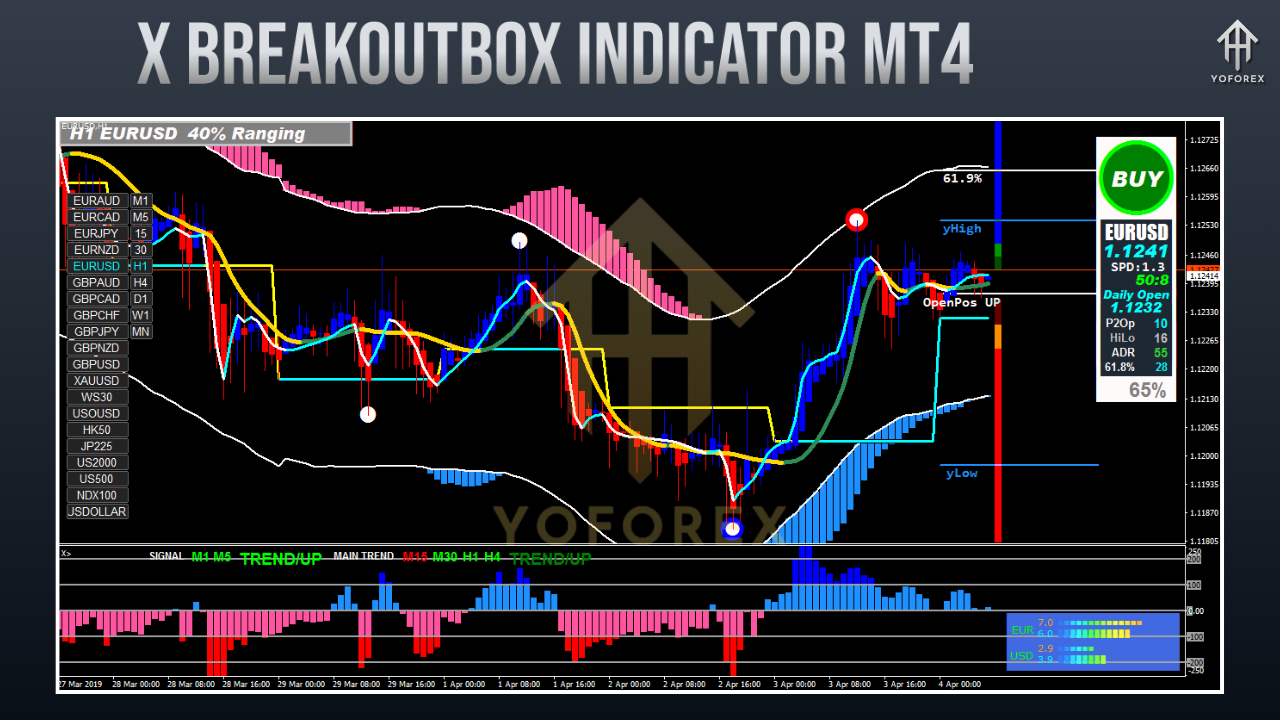
Advantages Over Other Breakout Tools
- Zero Lag: No delay or sluggish plotting
- Reliable Structure: Fixed, non-repainting lines give consistent signals
- Compatibility: Can be used alongside oscillators like RSI or trend indicators like EMA
- Adaptability: Suitable for aggressive breakout entries or conservative retest trades
- Universal Use: Applicable to forex, commodities, indices, and crypto
Limitations to Consider
Like all trading tools, this indicator has its caveats:
- Not a Holy Grail: Requires experience and discretion to interpret breakouts effectively
- Fakeouts Still Exist: You must manage your risk properly
- News Sensitivity: Avoid trading during major economic releases unless part of your strategy
- Requires Testing: Each currency pair responds differently to breakout logic
Who Should Use the X BREAKOUTBOX Indicator?
- Scalpers: Looking to ride quick volatility bursts post-consolidation
- Day Traders: Seeking structured setups during London or NY open
- Swing Traders: Using breakouts as entry signals from a daily range
- Beginners: Needing a visual structure to guide early strategy development
- Smart Money Traders: Combining breakout box logic with order blocks and SMC techniques
Final Thoughts: Is It Worth Adding to Your Trading Toolbox?
If you’re serious about improving your breakout entries and adding structure to your strategy, the X BREAKOUTBOX Indicator MT4 is absolutely worth considering. It's lightweight, effective, and built for clarity.
Rather than loading your charts with too many conflicting indicators, this tool brings it back to basics—pure market structure, clear ranges, and actionable setups. The indicator supports your trading plan without noise or confusion.
Support and Community
- Need help? Reach out to the YoForex team for setup support.
- Join the community:
-
???? Connect via WhatsApp
-
???? Join our Telegram trading group
-
Disclaimer
Forex trading involves substantial risk and may not be suitable for all investors. Always use demo accounts to test strategies before going live. Past performance is not indicative of future results.
Call to Action
Stop chasing every move and start trading with structure. The X BREAKOUTBOX Indicator MT4 can simplify your approach and sharpen your edge in breakout trading.
???? Visit YoForexEA.com today and download the indicator. Join a growing community of traders using smart, structured tools to dominate the charts.
Happy Trading!
Professional Assets
Unlock the expert tools and configurations mentioned in this article.
Get Files NowSecure Gateway • Verified by YoPips
Aditi Roy
Financial analyst and professional trader dedicated to cracking the code of forex markets. Join our community for daily insights and expert tool reviews.
Never miss a market crack.
Join 15,000+ traders receiving our weekly breakdown of elite tools and strategies.
No spam. Just high-impact trading insights.