

Mastering the Advance CCI Indicator MT4: A Trader’s Comprehensive Guide
Are you tired of lagging signals and false breakouts? The Advance CCI Indicator MT4 might just be the game-changer you’ve been searching for. Built on the tried-and-tested Commodity Channel Index (CCI), this custom MT4 tool offers enhanced smoothing, adaptive thresholds, and multi-timeframe alerts—giving you clearer entry and exit cues in volatile markets. In this guide, we’ll dive into what makes the Advance CCI Indicator MT4 stand out, show you how to set it up step by step, explore proven trading strategies, and share optimization tips so you can trade with confidence and consistency.
What Is the Advance CCI Indicator MT4?
The Commodity Channel Index (CCI) is a popular momentum oscillator developed by Donald Lambert. It measures the difference between a security’s typical price and its simple moving average, scaled by mean absolute deviation. While the standard CCI can be noisy and prone to whipsaws, the Advance CCI Indicator MT4 refines the concept by:
- Applying an adaptive smoothing algorithm that filters out market noise
- Dynamically adjusting overbought/oversold levels based on recent volatility
- Integrating multi-timeframe confirmation to reduce false signals
By upgrading these core elements, the Advance CCI Indicator MT4 delivers more reliable signals and helps traders filter out choppy action—so you can focus on the most promising setups.
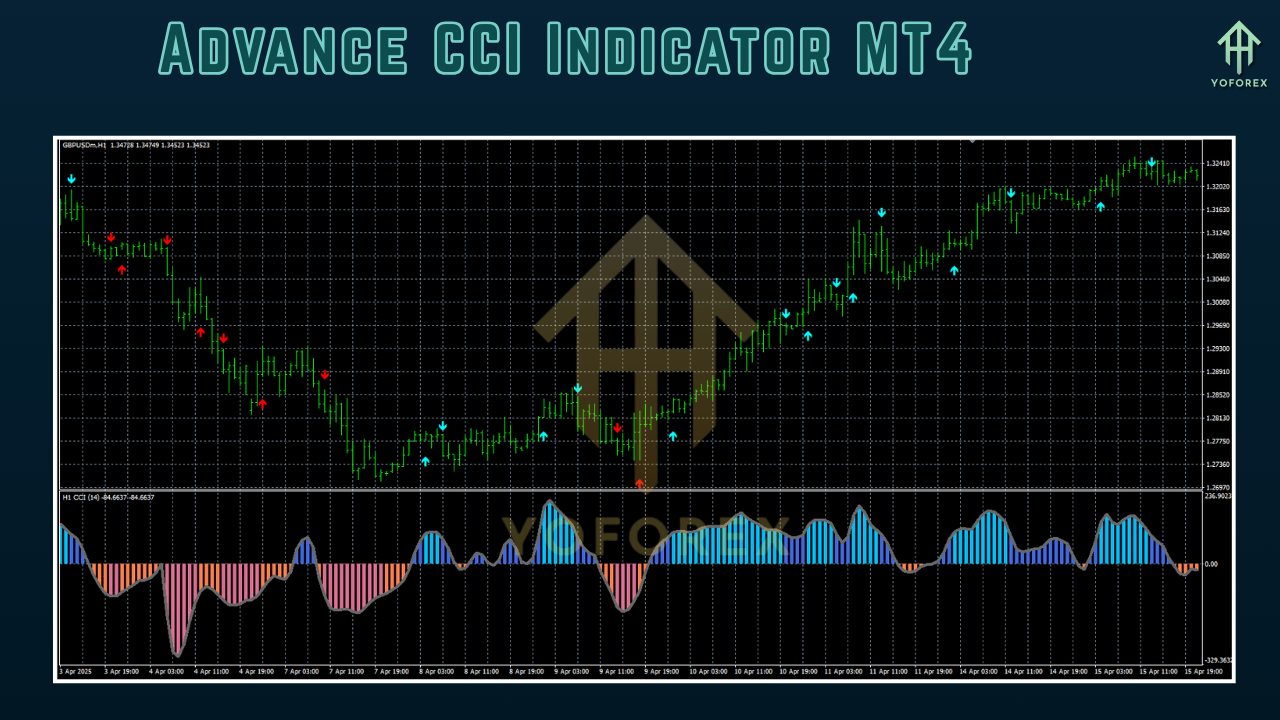
Key Features
- Adaptive Smoothing: Reduces the impact of sudden spikes and whipsaws without introducing significant lag
- Dynamic Thresholds: Overbought and oversold lines recalibrate automatically to current market volatility
- Multi-Timeframe Alerts: Receive notifications when higher- and lower-timeframe CCI readings align
- Customizable Lookback Period: Fine-tune sensitivity from ultra-short (14 periods) to longer-term (50+ periods)
- Built-In Signal Arrows: Visual markers appear directly on your chart for quick entry/exit decisions
- Alert Options: Pop-ups, email alerts, or mobile push notifications for timely action
- No Repainting: Once plotted, historical signals remain fixed—establishing trust in backtests and live trading
- Lightweight Script: Minimal CPU usage so it won’t slow down your MT4 platform, even on multiple charts
How It Works
- Calculation of Typical Price: (High + Low + Close) ÷ 3 over the chosen lookback period.
- Adaptive Moving Average: Applies a weighted smoothing factor that tightens in trending markets and relaxes in sideways conditions.
- Dynamic Deviation Band: Computes mean absolute deviation over the same period, then multiplies by a volatility factor to set upper and lower bands.
- CCI Output: (Typical Price – Adaptive MA) ÷ (Dynamic Deviation Band)
When the CCI line crosses above the upper band, it flags potential overbought conditions; crossing below the lower band signals potential oversold opportunities. Coupled with multi-timeframe confirmation, you’ll only act when both your main and higher-timeframe CCI agree—dramatically reducing false breakouts.
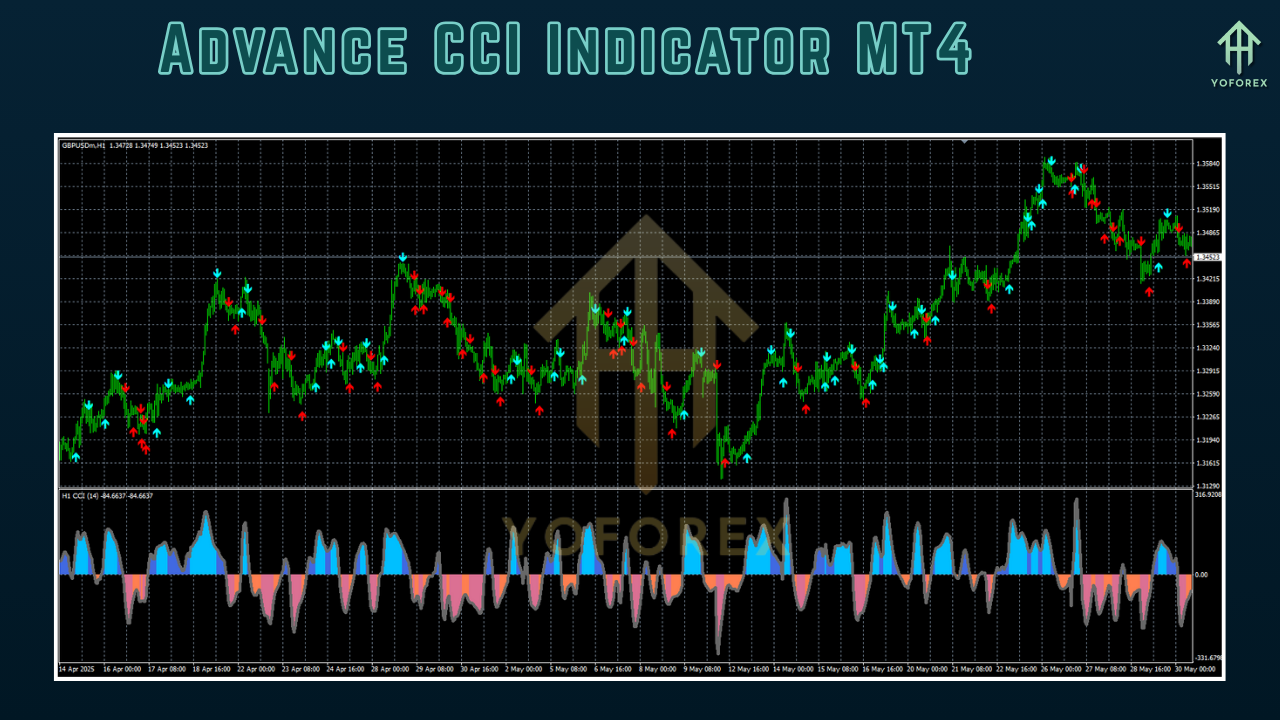
Installation & Configuration
- Download the Advance CCI Indicator MT4 file from the official source.
- Copy the
.ex4or.mq4file into your MT4’sIndicatorsfolder (usually located underMQL4/Indicators). - Restart MetaTrader 4 so the platform recognizes the new script.
- Attach the indicator to your chart: In the Navigator window, open Indicators, find Advance CCI Indicator MT4, then drag it onto your preferred currency pair.
- Adjust Settings:
-
Period: Default 20. Lower values increase sensitivity; higher values smooth the line more.
-
Volatility Factor: Controls how wide the dynamic bands expand—values between 1.5 and 3 work best in most markets.
-
Multi-Timeframe Sync: Select your confirmation timeframe (H1, H4, etc.).
-
Alerts: Enable pop-up, email, or push notifications as needed.
-
- Apply and watch the Advance CCI Indicator MT4 come to life on your chart, ready to highlight key momentum shifts.
Proven Trading Strategies
1. Trend-Following Breakout
- Setup: Identify a trending market on a higher timeframe (H4 or D1).
- Entry: Wait for the CCI to cross above +100 (upper dynamic band) on your trading timeframe.
- Confirmation: Higher-timeframe CCI must also be above its overbought threshold.
- Exit: Close when the CCI retreats back below +50 or hits the lower band on the opposite side.
2. Mean-Reversion Pullback
- Setup: Use on range-bound pairs like EUR/GBP or AUD/NZD.
- Entry: Look for the CCI to dip below –100 (lower band).
- Confirmation: Wait for a green signal arrow and a bounce off a major support zone.
- Exit: When the CCI returns above –30 or price touches the opposite dynamic band.
3. Divergence Detection
- Setup: Apply the indicator on any timeframe.
- Bullish Divergence: Price makes a lower low, but CCI forms a higher low. Enter long on confirmation candle close.
- Bearish Divergence: Price makes a higher high, but CCI prints a lower high. Enter short on next candle’s close.
- Exit: Based on risk-reward targets (e.g., 1:2 or 1:3), or when the CCI flips across zero.
Tips for Optimization
- Test Multiple Periods: Don’t settle on the default. Use your strategy tester to find the sweet spot for your favorite pairs.
- Combine with Price Action: Candlestick patterns like pin bars and engulfing bars add extra confidence.
- Use Money-Management Rules: Never risk more than 1–2% of your account per trade.
- Monitor Higher Timeframes: A glance at daily or weekly CCI keeps you aligned with the bigger trend.
- Demo First: Always paper-trade new settings for at least 50 trades before going live.
Why Choose the Advance CCI Indicator MT4?
Unlike generic CCI scripts that repaint or flood you with unfiltered data, the Advance CCI Indicator MT4 is tailored for modern volatility, seamlessly blending adaptive math with real-time alerts. Whether you’re a scalper on M5 or a swing trader on H1/H4, this tool equips you with actionable signals—no guesswork, no guessy repainting.
Conclusion
The Advance CCI Indicator MT4 empowers you to cut through market noise and zero in on high-probability setups. From adaptive smoothing to multi-timeframe alerts, it brings a professional edge straight into your MT4 charts. Remember: there’s no magic in indicators alone—combine them with sound risk management and price-action skills to maximize your edge. Ready to elevate your trading? Install the Advance CCI Indicator MT4 today, dial in your settings, and experience a clearer path to consistent profits.
Support & Disclaimer
Got questions or need help? Reach out anytime:
- WhatsApp: https://wa.me/+443300272265
- Telegram: https://t.me/yoforexrobot
Disclaimer: Past performance is no guarantee of future results. All trading carries risk. Always demo-test the System Haos Indicator MT4 in a risk-free environment before deploying on a live account.
Happy Trading!
Professional Assets
Unlock the expert tools and configurations mentioned in this article.
Get Files NowSecure Gateway • Verified by YoPips
Aditi Roy
Financial analyst and professional trader dedicated to cracking the code of forex markets. Join our community for daily insights and expert tool reviews.
Never miss a market crack.
Join 15,000+ traders receiving our weekly breakdown of elite tools and strategies.
No spam. Just high-impact trading insights.